

According to CB Insights’ analysis of 483 startup post-mortems, 42% of startups fail because there was no market need for the product. Built in full. Before anyone confirmed people wanted it. That’s not a technology problem. It’s a sequencing problem.
Most guides to software product development assume you have a dev team, a sprint board, and someone who can write a technical spec. They describe what developers do. For a first-time founder or a non-technical business owner trying to build something for the first time, those guides produce one of two outcomes: a confusing six-month engagement with a dev agency, or a product that ships 18 months late at twice the original budget.
This guide covers how to build a software product the lean way. Validation first, scope locked, no-code options laid out honestly, and a clear look at where most timelines collapse before they even get to development.
Every stage below maps to a real decision: the software development process you’ll follow, the development tools and no-code platforms that fit your situation, and the productivity software that keeps a one-person build from collapsing into chaos. None of it requires a computer science degree. All of it requires picking the right tool for the stage you’re actually in.
Validate Before You Build Anything
The single most expensive mistake in developing a software product is building the wrong thing fast. Validation isn’t a phase you skip to save time. Done properly, it’s how you save months.
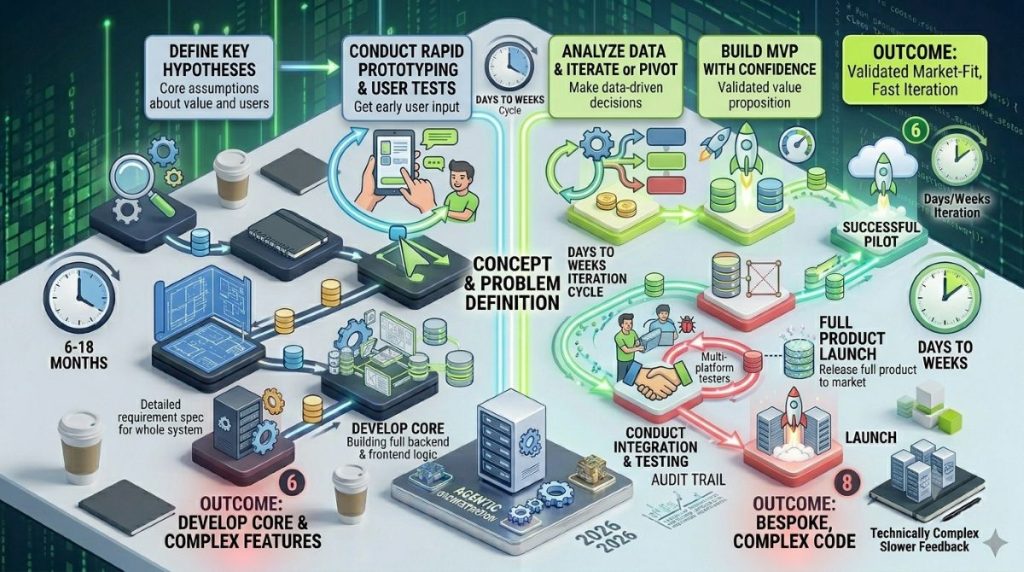
For a non-technical founder, product discovery doesn’t require a UX research firm. It requires 15–20 structured customer conversations, a competitive audit of 5–10 direct and indirect alternatives, and a clear statement of the specific problem your product solves. Not “people need better project management.” Something narrower: “Remote consultants tracking billable hours across three or more client tools spend 4–6 hours a week on manual reconciliation with no single source of truth.”
That specificity comes from talking to real people who have the problem. And it shapes every decision that follows.
Tools that cost nothing: Typeform or Google Forms for screener surveys, Notion for capturing interview notes, Loom for recording sessions with user consent. These are business productivity software, not development tools — no developer, no setup, no code. The entire validation phase is in your hands.
For a Smart Admin approaching this for the first time, the honest question isn’t “can I build this?” It’s “should I build this — and what’s the minimum I need to build to find out?” Those are different questions. Only the second leads to a product people pay for.
The data on skipping validation is sobering. Roughly 90% of startups fail overall, and market fit failure is the leading cause. Not technical execution. Teams using no-code tools during the discovery phase can coordinate their findings more effectively with the right stack — these collaboration tools for no-code product teams cover the options most suited to early-stage work.
Define What You’re Building — And What You’re Not
After validation, the most valuable document a non-technical founder can produce is a Product Spec — a different document from the Software Requirements Specification (SRS) that a development team would write. An SRS is a formal technical artifact: it defines what the software must do and how it must behave under specific conditions, written in a precision a developer or QA engineer needs to build and test against. It’s a requirements document, not a planning document.
A Product Spec does a related but distinct job. It’s the founder-facing version — what the product needs to accomplish and for whom, without the technical behavior specification a developer would require. If you’re working with a freelancer or agency, expect them to translate your Product Spec into something closer to an SRS before development starts; that translation step is part of what you’re paying for. If you’re building no-code, you skip the SRS layer almost entirely because the platform’s visual logic replaces most of what an SRS would otherwise need to specify. Either way, the Product Spec
Think of the relationship this way: the Product Spec defines the feature set in plain language; an SRS (if you ever need one) translates that feature set into a technical specification a development team can build against. Most lean, no-code-first software products never need the second document at all — the visual builder’s logic is the specification.
The most useful tool inside that document is a prioritization framework called MoSCoW. Every feature you’re considering gets one label: Must Have, Should Have, Could Have, or Won’t Have (for now). The Won’t list is as important as the Must list. It’s your scope boundary.
This matters because more than 50% of software projects experience scope creep, and it’s one of the strongest predictors of cost overrun. Scope creep rarely announces itself. It looks like a reasonable feature request. It looks like “while we’re at it.” Each addition feels small. Together, they turn a six-week build into a six-month one.
Building software products without a locked scope is the most common reason non-technical founders end up trapped in a dev agency cycle they can’t exit. Before any development begins — code, contractor, or no-code platform — confirm three things in writing: who the product is for, what one problem it solves first, and what version 1 completion actually looks like.
Everything else goes on the Won’t list.
Software Requirements vs. Features: The Distinction That Saves You Money
Founders use “requirement” and “feature” interchangeably. Anyone building or pricing the work for you doesn’t, and the gap between the two is where budgets quietly blow up.
A feature is what a user sees and interacts with: a login screen, a search bar, a checkout flow. A software requirement is the technical specification underneath it — what the system must do, under what conditions, with what constraints. “Users can log in” is a feature description. “The system must authenticate a user within 200ms using hashed credentials and lock the account after five failed attempts” is a requirement. The feature tells a developer or no-code builder what to build. The requirement tells them exactly how it has to behave once it’s built.
This matters in practice because most quote disputes with freelancers or agencies come from a requirement nobody specified, not a feature nobody mentioned. “Add a search bar” sounds complete. It says nothing about result ranking, response time under load, or what happens with zero results. Each of those is a requirement hiding inside a one-line feature request.
| Feature (what the user sees) | Requirement (what the system must do) |
|---|---|
| Search bar | Sub-300ms response time, fuzzy matching, ranked by relevance |
| Login screen | Hashed password storage, rate-limited login attempts, session timeout after 30 minutes |
| Payment checkout | PCI-compliant card handling, retry logic for failed transactions, refund window enforcement |
You don’t need to write requirements like a development team would for every feature in a lean build — a no-code platform’s visual logic absorbs most of this automatically. But naming the requirement explicitly for anything safety-critical, payment-related, or performance-sensitive is the cheapest insurance available against a freelancer quote that balloons mid-project.
How to Build a Software Product Roadmap That Actually Holds?
A roadmap is not a Gantt chart.
For a Smart Admin or non-technical founder, how to build a software product roadmap means something practical: a prioritized sequence of decisions, not a calendar of code commits.
The most resilient framework for early-stage products is Now/Next/Later — a lightweight Agile-Kanban hybrid that gives you the iterative discipline of formal Agile methodology without the ceremony (no sprint planning meetings, no story-point estimation sessions) that a one- or two-person team doesn’t need yet. “Now” is what’s shipping in version 1: fully defined, locked, in build. “Next” is what follows once version 1 is validated. “Later” is everything else, parked deliberately so it can’t creep into the current build.
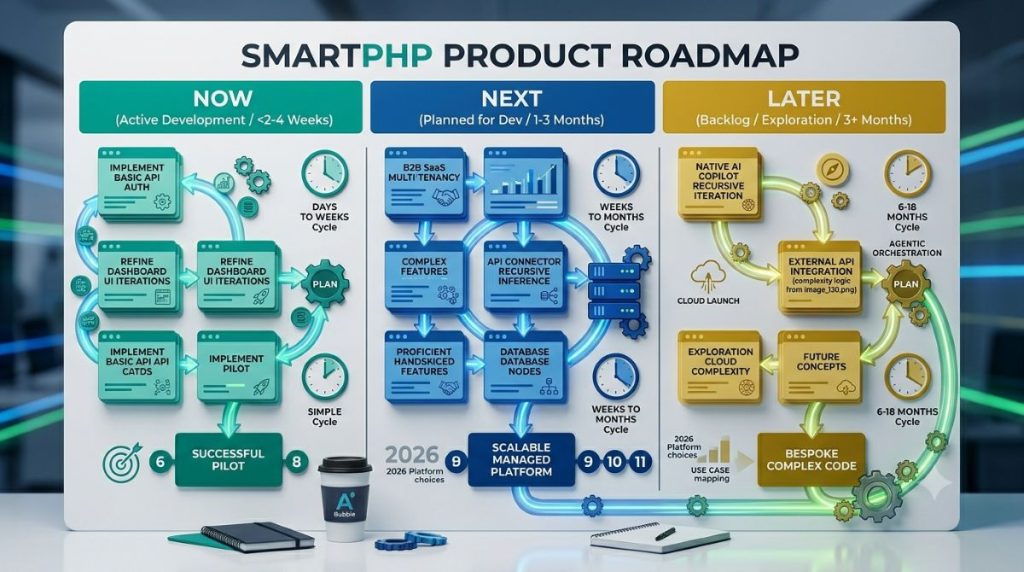
This structure works because it acknowledges a basic truth about early-stage products: you won’t know what “Next” should look like until you’ve shipped “Now” and seen how real users behave. Date-locking features for months four and five before version 1 has launched is one of the most consistent roadmap mistakes.
For tooling, you don’t need enterprise software. Notion, Linear, or Aha! — all project management and productivity software built for exactly this — support this framework out of the box. A non-developer can manage the full roadmap in Notion without any technical setup, making it an accessible approach for startups, small businesses, or a computer training institute managing software projects and learning initiatives.
What a well-built roadmap includes and most articles omit: milestone gates. Not just delivery milestones but decision checkpoints. “User interviews complete.” “Prototype tested with five users.” “Core payment flow confirmed in staging.” These gates create natural pauses to verify you’re still building the right thing before committing to the next phase.
Two roadmap patterns that reliably collapse timelines: committing to a tech stack before the scope is finalized, and running product discovery and development simultaneously with no sequencing between them. Parallel execution is efficient in manufacturing. In software product development, it multiplies rework.
Who’s Managing the Build? The Product Manager Question for Lean Teams
Every software product has a management layer, whether anyone calls it that or not. Someone decides what ships in version one, someone tracks whether the freelancer or agency is actually hitting milestones, and someone owns the conversation when a stakeholder — a co-founder, an investor, an early customer — asks why a feature isn’t done yet. For a non-technical founder, the question isn’t whether that layer exists. It’s who’s running it.
The honest answer for most early-stage builds: you are, and that’s fine. A 2026 product manager hiring guide from KORE1 put the warning sign plainly — “please do not hire for the slide,” meaning don’t bring on a PM just to look more credible to investors. The diagnostic signs you’re not ready for one: you’re pre-revenue, you have a single developer or agency relationship, and the person doing the technical work is still managing it well without friction. Hiring a PM at that stage adds a coordination layer to a build that doesn’t need one yet.
What a startup product manager actually does, once a company does need one, is act as the bridge that aligns business teams and removes organizational silos — translating founder vision into a sequenced roadmap and keeping every stakeholder pointed at the same version of reality. For a solo founder or a two-person team, you’re already doing a smaller version of that job every time you decide what goes on the Now list versus the Later list.
The KORE1 guide makes one more point worth sitting with, offered against its own commercial interest as a staffing firm: a strong engineering lead with product instinct, paired with a part-time product advisor, beats a mediocre full-time product manager almost every time. Translation for a lean build — if your freelancer or no-code partner has good product judgment and you’re checking in on outcomes regularly, you don’t need to formalize a management title to get the benefit of management.
Where this becomes a real risk: communication failure, not technical complexity, is the leading cause of delayed software projects. When you’re working with a freelancer, you are the de facto project manager whether you’ve claimed the title or not — defining tasks, reviewing what comes back, tracking progress against the roadmap, and handling the escalation when something slips. Treat that responsibility as real work, not an afterthought to the “actual” building. The founders who skip it are the ones who discover six weeks in that the freelancer has been quietly building the wrong thing.
MVP vs Full Build — Making the Right Call
An MVP is not a prototype. It’s not a feature-stripped version 1.
A Minimum Viable Product is the simplest version of your product that tests whether your core assumption is true — usually whether people will pay for or meaningfully engage with the solution you’ve built.
Getting that definition right shapes the entire build scope. If your core assumption is “remote teams will pay for a tool that eliminates status meetings,” your MVP needs just enough to test that. Not a polished UI. Not integrations with every calendar system. Just the thing that answers the question.
The practical benchmark: a well-scoped MVP should ship in 8–12 weeks from concept to launch. If your build is stretching past six months, you’re no longer building an MVP. You’re building a full product on unvalidated assumptions. That’s the most expensive version of building something.
The cost case is clear. MVPs can cut initial development costs by 30–60% compared to a full build, because they focus only on what generates a learning signal.
When you genuinely need more than an MVP: some product types require functional depth to be useful at all. Payroll software, medical records systems, complex financial tools — none of these can be meaningfully tested with a stripped-down version. Longer initial builds are appropriate in those cases. But they make the validation step more important, not less.
Whatever you build, however small, you’re building a piece of business software the moment a second person depends on it to get work done. That reframe matters more than it sounds. According to Retool’s 2026 Build vs. Buy Report, surveying 817 builders and customers, 35% of enterprises have already replaced at least one SaaS tool with a custom build, and 78% expect to build more custom internal tools in 2026. The economics that justify a Fortune 500 team replacing Salesforce with something purpose-built are the same economics that justify a five-person startup replacing a $50/month project tool with something they own outright. Your MVP isn’t a toy version of real business software. The moment it does the job a piece of paid productivity software would otherwise do, it is real business software — just one you control completely.
The No-Code Route — A Genuine First-Pass Strategy
No-code is not a workaround for founders who “can’t build the real thing.”
In 2026, it’s a legitimate first-pass strategy for a wide range of software products. The market data makes that plain. Gartner forecasts that 75% of new applications will be built using low-code or no-code technologies by 2026, and Kissflow’s 2026 no-code data shows approximately 100–120 million people worldwide are now building on no-code platforms — compared to 27.7 million professional software developers. The market has reached $34.7 billion in 2025, growing at 22.8% annually.
Compare that to the traditional alternative. A developer working the conventional way operates inside an integrated development environment (IDE) — roughly 65% of professional developers use one daily — writes code that lives in a version-controlled repository, and pushes changes through Git, the source control system underlying 71% of professional software projects. No-code platforms collapse that entire toolchain (IDE, codebase, version control, deployment pipeline) into one visual interface. You’re not skipping the development tools. You’re trading a stack of five for one.
For how to build software without a development background, the right tool depends on what you’re building:

Bubble is the most capable no-code web app builder. It handles full workflow logic, user authentication, database design, and custom API connections. Best for SaaS-style products, marketplaces, and complex web applications.
FlutterFlow is mobile-first and cross-platform. Best for founders who need a native mobile experience without a mobile dev team.
Glide builds data-driven apps on top of Google Sheets or Airtable. Best for internal tools, simple client-facing apps, or early MVPs where speed matters more than customization depth.
Webflow covers marketing sites with light interaction and CMS capability. Best for founders who need a professional-grade front end before the backend is built.
The timeline difference is significant. No-code MVP development runs 2–4 weeks vs 12+ weeks for full-stack development, with up to 80% in cost savings. For a Smart Admin validating a product idea before committing to a dev team, that gap is the difference between a tested assumption and an expensive one.
The limits are real. Complex custom infrastructure, high-frequency financial systems, medical device integrations, and custom ML pipelines have hard ceilings in no-code platforms. In these situations, partnering with a custom software development company can help founders move beyond no-code limitations and build scalable software architecture tailored to specific business requirements, security standards, and long-term growth goals.
If your product lives there, no-code may handle a prototype but won’t carry you to production scale. For founders who need help choosing between these tools, our Bubble vs FlutterFlow vs Glide comparison breaks down use cases by product type. If your primary goal is validation speed, this guide to the best no-code platforms for MVPs covers the platforms with the shortest path from idea to testable product.
The Core Build Process — Step by Step
Whether you’re building a software product with a dev team, a freelancer, or a no-code platform, the sequence is the same. Skipping steps doesn’t speed things up. It creates debt you pay back later, usually at a worse time.
Step 1: Design your user flows before touching any development tooling. Wireframes don’t require a professional designer or specialized design software. Figma’s free tier, Whimsical, or paper sketches all work as your front-end planning tool. The goal is to settle on what users actually do inside your product — the critical paths — before anyone starts building.
Step 2: Choose your tech stack and development tools based on your actual situation, not based on what’s trending in programming circles. For most early-stage products, the relevant question is not “what’s technically superior?” It’s “what gets to market fastest with acceptable performance at this stage?” A no-code platform, a lean backend with a standard frontend framework, or a managed cloud service each have valid cases depending on the product type, the team, and the growth ceiling.
Choosing your build team — sourcing models. Stack choice and team choice are the same decision wearing different clothes. Three sourcing models cover almost every lean build in 2026, and the data on flexible talent has shifted meaningfully: 73% of companies now use freelancers and agencies as a strategic advantage, up from 59% just three years ago. That shift exists because the cost math favors it at the early stage.
Freelancers run $50–150/hour and make sense for a defined task under roughly $10,000 — a specific feature, a focused integration, a no-code build you can review yourself. Agencies run $100–250/hour but include project management, QA, and architecture planning baked into the rate, which is the right fit for production software in the $10,000–$100,000 range when you don’t have the bandwidth to be the de facto project manager described above. In-house hiring — $150,000 or more per year fully loaded for a single engineer — only earns its cost once you have product-market fit and need continuous iteration, not a first build.
The expensive mistake runs in one direction far more often than the other: a bad full-time hire costs $150,000-plus once you count salary, equity, and severance. A failed freelancer engagement costs $5,000–10,000 and you walk away. For a first build, optimize for the cheap mistake, not the cheap hourly rate.
The technical decisions hiding inside “choose your stack.” Even a no-code build forces a handful of real architectural decisions, whether the platform makes them visible or not. Your data model — what entities exist and how they relate to each other — determines how easily you can add features later without a rebuild. Your authentication approach — email/password, social login, magic link — determines onboarding friction and security posture simultaneously. Your API design, even if you never write a line of it yourself because your no-code platform handles it, determines whether a future integration (payments, a mobile app, a partner’s system) is a configuration change or a structural problem. None of these require you to code. All of them require you to decide, on purpose, rather than accept whatever default your platform or freelancer picked without asking you.
Step 3: Build in two-week sprints with a defined done-list per sprint, tracked in whatever project management software you chose in the roadmap step. Anything that can’t fit into current sprint scope goes to the backlog. The backlog is not the enemy of the current sprint. Scope creep inside the sprint is.
Step 4: Test with real users before you call it done. Formal QA — the same quality-assurance process a development team runs before any production release — catches bugs. User testing catches wrong decisions, which is the harder kind to find in code review alone. Five user sessions before launch can surface problems that save weeks of post-launch rework. The goal isn’t to approve the product — it’s to catch what no internal team can see.
Step 5: Deploy in stages, the same way a development team handles any production release. Staging environment before production. Version-controlled rollback plan before either. Private beta before public launch. Staged releases compress the feedback cycle and limit the blast radius of undiscovered problems. Shipping a working product fast beats shipping a perfect product late.
This is the software building sequence that delivers. The common thread across every step: decide before you build, and test each decision with real feedback before committing to the next.
The Biggest Time-Wasters in Software Product Development
Most software product development delays don’t come from tech failures. They come from predictable mistakes in the software development lifecycle that show up early and compound through every phase — validation, scoping, build, test, deploy.
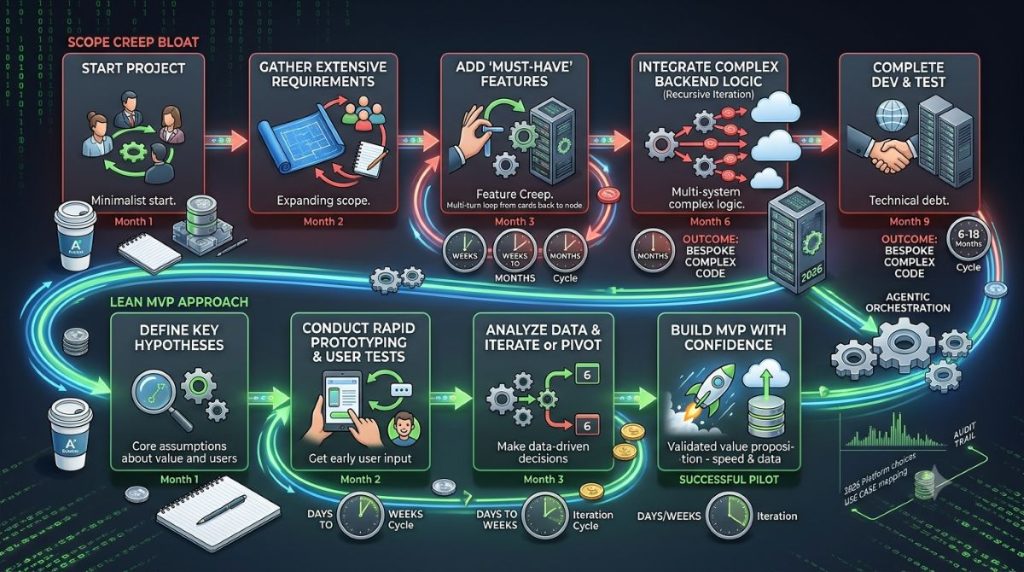
Time-waster #1: Building without a validated product spec. Every hour spent on a feature no user ever asked for is pure waste. Not a learning moment. Lock your scope before you build.
Time-waster #2: Over-building before validation. Picking a complex, multi-service setup for a product with 12 beta users is a common move among technical founders. Start simple. Add complexity only when the scale actually asks for it.
Time-waster #3: Scope creep. The PMI puts the rate at around 52% of all projects. Each feature added without a review gate delays the core build. Set that gate before work begins — not after the first scope request lands.
Time-waster #4: Skipping the staging and testing steps. IT projects overrun their budgets by 75% on average, with timelines stretching 50% beyond the plan. Much of that overrun traces back to QA skipped early on. Around 70% of software projects exceed their initial budget, with a 27% average overrun. A staging setup is cheap. Post-launch fixes are not. For lean no-code and hybrid builds, these staging tools work well without requiring a complex DevOps setup.
Time-waster #5: Running discovery and build at the same time. You can’t test and build the same feature in the same window. If your discovery is still open while code is being written for that feature, you’re either building on guesses or you’ll redo it once the data comes in. Both paths waste time.
For Smart Admins and non-technical founders, the most costly decision in software is not the wrong tech. It’s the wrong feature, built before it was confirmed.
After Launch — Iterate, Don’t Rebuild
Launch is the beginning of real data collection. Every assumption you made in product discovery now has actual user behavior to confirm or contradict.
The discipline that separates products that grow from expensive experiments is a 30-day iteration cycle. Per Presta’s MVP Roadmap Guide, teams that act on user feedback within 30 days of launch are 3x more likely to achieve product-market fit. That number reflects something structural: early products that iterate fast accumulate learning while the market signal is still strong. Products that wait six months for a “proper v2” often find the signal has shifted.
Track three things post-launch. Activation rate (did users complete the core action your product promised?). Retention rate (did they return in week two?). And qualitative feedback from your first 50 users, gathered directly.
Resist the rebuild impulse. Many founders read the first wave of user feedback and conclude the entire architecture is wrong. In most cases, iteration on the existing build is faster and cheaper than a v2 rewrite. The exceptions exist, but they’re rarer than the impulse to rebuild suggests.
Developing a software product well means treating the post-launch period as a phase, not an afterthought. The roadmap doesn’t stop at launch. It becomes more important. Once you’re shipping iterations, no-code app growth strategies can help close the gap between your first users and your first 1,000.
The Software Build Checklist, Step by Step
Pulling every stage above into one sequence:
- Validate — 15–20 customer conversations, a competitive audit, no code required. Tip: stop at the first sign of a pattern, not the hundredth conversation.
- Define — lock a Product Spec with MoSCoW prioritization before any development tooling gets chosen. Tip: name the actual software requirement behind any feature that touches payments, security, or performance.
- Roadmap — Now/Next/Later in project management software like Notion or Linear, with milestone gates between phases. Tip: a roadmap with more than three items on “Now” isn’t a roadmap.
- Choose your build path — no-code platform, freelancer, or agency, scoped against your actual budget and technical depth. Tip: optimize for the cheap mistake, not the cheap hourly rate.
- Build — wireframes, tech stack, two-week sprints, QA testing, staged deployment — the same five-step software development process whether a developer or a no-code platform does the building. Tip: decide your data model and authentication approach on purpose, even on a no-code platform.
- Launch and iterate — track activation and retention, resist the rebuild impulse, run 30-day iteration cycles. Tip: the software you shipped is now business software someone depends on — treat it that way.
Six stages. No stage skipped, regardless of whether your development tools are a no-code platform, a freelancer’s codebase, or an in-house team’s full programming environment. The software development process doesn’t change shape based on who’s building. Only the tooling does.
The Pattern That Ships — and the One That Doesn’t
The software products that ship in 2026, ship fast, and build something users actually want follow a consistent pattern: validate first, scope tightly, build the minimum, launch in stages, iterate quickly. That pattern is accessible to non-technical founders and Smart Admins just as much as it is to experienced dev teams.
The tools have genuinely caught up. No-code platforms now handle a wider range of product types than they could three years ago. AI-assisted development has compressed coding time for developers working with tools like GitHub Copilot. Lean roadmapping fits in a Notion workspace.
Whether you call the end result an MVP, a tool, or a product, it’s business software the moment someone other than you relies on it — and the step-by-step process above is the same one whether a no-code platform, a freelancer, or a full development team does the building.
What hasn’t changed is the sequencing. The work that saves months — validation, tight scoping, MVP definition, user testing — all happens before the first workflow is configured or the first line of code is written. That’s where timelines are won or lost.
Not in the build.
Frequently Asked Questions
A well-scoped MVP typically takes 8–16 weeks from concept to launch, with simpler products (3–5 core features) running 6–8 weeks and more complex ones stretching to 12–16 weeks. On no-code platforms, focused products can ship in 2–4 weeks. A production-ready product beyond the MVP stage, built with a full dev team, typically runs 6–12 months for mid-complexity products. Founders consistently underestimate this by 2–3x when they begin.
Yes, for a wide range of product types. Bubble, FlutterFlow, Glide, and Webflow cover SaaS web apps, mobile apps, data-driven internal tools, and marketing-forward products respectively. The ceiling for no-code tools is real — custom infrastructure, complex machine learning pipelines, and high-frequency transaction systems still require traditional development. For validating an idea and building an MVP, though, no-code is a practical path in 2026.
An MVP is the simplest version of a software product that tests one core assumption: usually whether users will pay for or meaningfully engage with the solution. A full software product addresses the confirmed needs of its user base with the feature depth to serve them at scale. The MVP is a learning instrument. The full product is what you build once the MVP tells you what to build. Many teams confuse “feature-stripped product” with MVP — an MVP is defined by the assumption it tests, not by how many features it lacks.
Use no-code when you’re in the validation or MVP phase and your product is a web app, mobile app, internal tool, or SaaS-style product, and your primary constraint is time or budget. Hire developers when your product requires custom infrastructure, hard performance requirements, regulated data handling, or when your no-code platform has hit a ceiling blocking your growth. Many successful products start on no-code and bring in developers once market fit is confirmed and revenue justifies the investment.
Market fit failure — building a product people don’t need or won’t pay for. CB Insights data from 483 startup post-mortems identifies this as the cause in 42% of failures. The second most common cause is running out of cash, which is often the downstream effect of the first. A team builds without validating, runs out of runway before finding fit, and closes. The solution is the same in both cases: validate before you build, build the minimum needed to test your assumption, and treat every post-launch user signal as data.
Not at the early stage. Most non-technical founders are better served acting as the de facto project manager themselves — defining tasks, reviewing deliverables, and tracking the roadmap — while working with a freelancer or no-code platform for the build itself. The signal you’re ready for a dedicated product manager or in-house team isn’t ambition; it’s product-market fit and continuous iteration needs that a freelancer or agency relationship can no longer absorb. Until then, a single freelancer ($50–150/hour for defined tasks) or agency ($100–250/hour for full production builds with QA and project management included) covers the sourcing decision for almost every early-stage software product.
Fewer than most guides suggest. For validation: Typeform or Google Forms, Notion, and Loom — all free productivity software, no development tools required. For planning: Notion, Linear, or Aha! for roadmap and project management. For building: a no-code platform (Bubble, FlutterFlow, Glide, or Webflow depending on product type) or a freelancer/agency relationship if your product needs custom programming beyond what no-code handles. For design: Figma’s free tier or Whimsical for wireframes. That’s the full toolkit for a lean first build — no IDE, no version control system, and no enterprise software license required until you’re past the no-code ceiling described above.
A feature describes what a user sees and does — a login screen, a search bar, a checkout button. A software requirement describes what the system must do underneath that feature, including performance, security, and edge-case behavior: how fast a search must return results, how a login must handle failed attempts, what happens when a payment fails. Most lean builds skip writing formal requirements because a no-code platform’s visual logic absorbs them automatically. The exception worth making time for: anything involving payments, security, or performance under load deserves an explicit requirement, written down, before you brief a freelancer or configure the workflow yourself. That’s the cheapest insurance against a quote or timeline that balloons mid-build.