

According to Gartner, roughly 75% of all new applications will be built using low-code or no-code tools by 2026. Six years ago, that number was below 25%. That’s a complete shift in who gets to build software.
The problem: most guides to these platforms are written for CTOs choosing enterprise tools. Not for the WordPress site owner who needs a customer portal. Not for the founder who wants an app before hiring a developer. Not for the ops manager buried in spreadsheets with no tech budget. Most comparison lists throw 20 platforms together, rank them by feature count, and leave you no clearer on what fits your situation.
The examples of low-code and no-code platforms in this article are organized by job. Website building, app creation, workflow automation, internal data management, and enterprise development each get their own section. Match your situation to the right category.
What “Low-Code” and “No-Code” Actually Mean? (and Why the Line Is Blurring?)
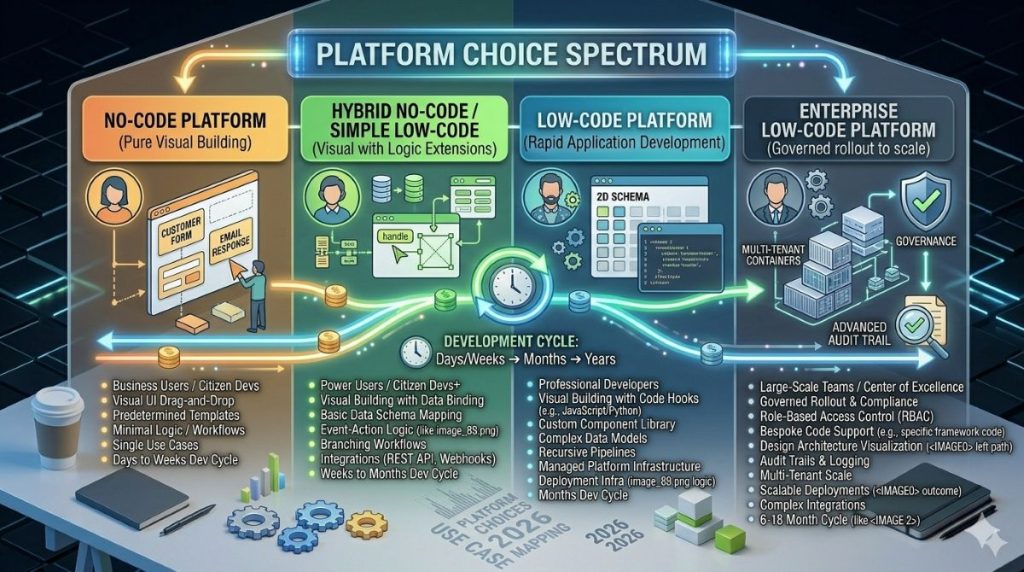
Low-code platforms give you a visual building environment. You drag and drop components, design workflows, and connect data sources. Developers can also add custom code when the visual tools aren’t enough. These platforms let technical teams move faster.
No-code platforms require zero programming. Everything works through visual tools: point-and-click interfaces, templates, and pre-built connectors. The idea is that anyone can build a working tool — a marketer, a consultant, a solo founder — without writing a single line of code.
In 2026, the line between the two is getting blurry. AI now generates code inside platforms marketed as “no-code.” Bubble can build an app from a text prompt. Webflow’s AI helps with layout. Gartner also forecasts that at least 80% of people using low-code tools will be outside IT departments by 2026, up from 60% in 2021.
If the answer is no, partnering with a Custom Software Development Company can provide ongoing technical support, scalable architecture, and custom feature development as your business grows.
For Smart Admins — non-developer WordPress site managers, ops leads, and founders running their own tech stacks — that’s the question that counts.
Category 1 — No-Code Website Builders: For Non-Developers Who Want a Professional Web Presence
The no-code website builder market is worth $8.2 billion in 2026. Wix, Squarespace, and Webflow lead this space. If you’re already on WordPress, most of this section won’t apply. But knowing where the alternatives sit is useful context.
Webflow — The Design-First CMS Alternative
Webflow is the most capable no-code website builder for designers and marketers. It gives you pixel-perfect control without a hosting dashboard. It works as both a visual design tool and a content management system. Webflow’s CMS now supports up to 10,000 items per collection, which makes it viable for content-heavy sites.
Best for: agencies, marketers, and designers who find standard page builders too limited. One honest caveat: Webflow’s design model assumes you know some HTML and CSS concepts. It’s not a beginner’s tool. But for the designer who feels boxed in by WordPress themes, it’s the clearest working alternative.
Wix — The Speed-First Option
Wix is at the other end of the complexity range. Its AI site builder generates a full website from a short survey, making it the fastest way to go live for a small business or personal brand. The App Market adds features without code.
The trade-off is lock-in. Moving a Wix site to WordPress or Webflow is painful. For a Smart Admin already on WordPress, Wix is not a direct upgrade — but it’s the most beginner-friendly example of no-code platforms doing website building at scale.
Category 2 — No-Code App Builders: For Building Full Applications Without Writing Code
This is the category most people picture when they hear “no-code.” These platforms let you build apps with user logins, databases, custom workflows, and payment processing — all through visual tools. If you’re specifically building an MVP, our picks for the best no-code platforms for MVPs narrow the field further.
Bubble — The Full-Stack Visual Builder
Bubble is the most capable no-code app builder for web applications. Its community has grown to 6 million builders who have created more than 7 million apps across 220+ countries. You can build SaaS products, client portals, marketplaces, and dashboards. The workflow builder handles conditional logic, user roles, API connections, and database relationships — all visually. Its AI prompt-to-app feature now generates an initial scaffold from plain-language text, which builders then refine.
Two limitations deserve attention. First, Bubble’s pricing model charges $0.15 to $0.30 per Workload Unit beyond plan limits. API-heavy apps burn through those limits fast. Second, Bubble does not export your source code. Your app lives on Bubble’s servers — permanently. That’s not a risk, it’s a design choice. For an MVP or internal tool, that trade is often fine. For an app you plan to scale significantly, factor in the lock-in cost before you commit months of build time.
Glide — The Spreadsheet-to-App Converter
If your data is in Google Sheets or Airtable, Glide turns it into a working mobile or web app in hours. Connect your sheet, choose a layout, set permissions, and publish. For field inspection tools, HR portals, internal directories, and data-collection apps, it’s one of the fastest paths from “I have a spreadsheet problem” to “I have an app.”
The ceiling is lower than Bubble. Complex workflows with custom logic hit Glide’s limits quickly. For a Smart Admin who needs a non-technical team member entering data from a phone, Glide is often exactly the right tool.
FlutterFlow — The Native Mobile Builder
FlutterFlow is for teams that need actual iOS or Android apps. Not mobile-responsive websites — real native apps. It connects to Firebase, generates Flutter code you can export and own, and produces apps that behave like proper native builds.
If the goal is a listing in the App Store or on Google Play, FlutterFlow is the most capable no-code option. The practical caveat: Flutter has a steeper learning model than Bubble. FlutterFlow rewards builders who understand databases and event-driven interfaces. In practice, it’s low-code even if it’s sold as no-code.
Adalo sits in a similar space at lower complexity — better for mobile apps with simpler logic and fewer data relationships. For a detailed head-to-head, our comparison of Bubble, FlutterFlow, and Glide breaks down exactly when each one is the right call.
Category 3 — Workflow Automation Platforms: For Connecting Apps and Cutting Repetitive Tasks
Workflow automation is often the highest-return starting point for non-developers. You’re not building something new. You’re connecting tools you already use and removing the manual steps between them.
49% of companies cite automating business processes as a primary use case for no-code tools. Forms and data collection follow close behind. This category delivers results fast because they’re immediate and easy to measure.
Zapier — The Connector Everyone Knows
Zapier is the most widely used no-code automation tool. Its premise is simple: when something happens in one app, trigger an action in another. Over 7,000 integrations, a clean interface, and a free tier make it the entry point for most non-technical users.
For WordPress operators, the use cases are direct: route WooCommerce orders to a CRM, send a Slack alert when a lead form submits, or sync new email subscribers between platforms. These workflows take minutes to configure. No developer needed.
The limit is cost. Per-task pricing gets expensive at high volume. That drives most growing teams to alternatives. See our full guide to Zapier alternatives for a complete breakdown of what’s worth switching to.
Make (Formerly Integromat) — The Visual Logic Master
Make handles complex, multi-step automations. Its visual flow diagram makes logic branches and conditional paths easy to read. Pricing is based on operations rather than tasks, which is more cost-efficient at scale.
The learning curve is steeper than Zapier. Make rewards structured thinking. It’s the natural upgrade once Zapier’s pricing or task limits become a problem.
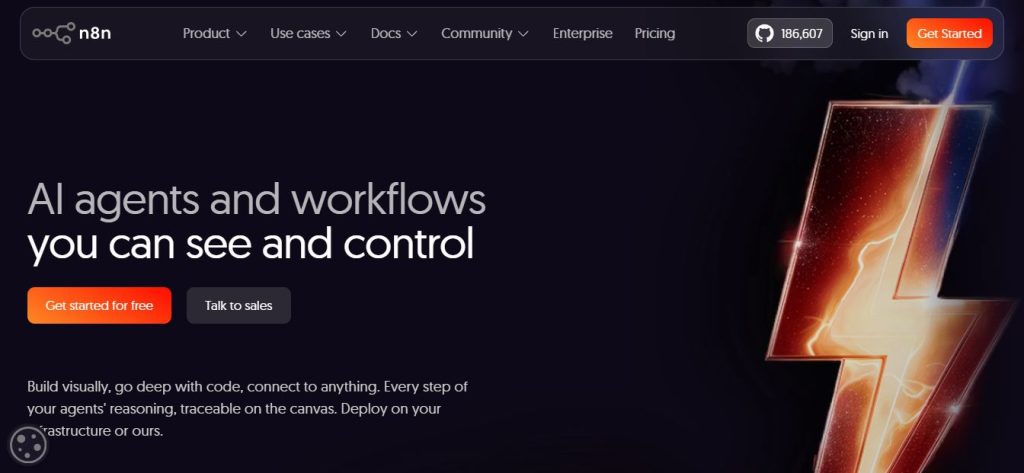
n8n — The Self-Hostable Option
n8n is open source. Run it on your own server, and you pay zero per-operation costs at any volume. The trade-off: you’re responsible for hosting and maintenance. n8n is ideal for technically confident admins who want full control and fixed costs. It supports complex logic, webhooks, and custom code nodes.
Category 4 — Internal Tools and Database Platforms: For Teams Managing Data Without a Developer
Internal tools — admin panels, data dashboards, approval workflows — are where low-code development platforms create clear value for business teams. This category is about managing shared data without a custom backend.
Airtable — The Database That Thinks Like a Spreadsheet
Airtable is a relational database with a spreadsheet interface. You create tables, define field types (text, date, file, dropdown, linked record), and view the same data in a grid, kanban board, calendar, or gallery.
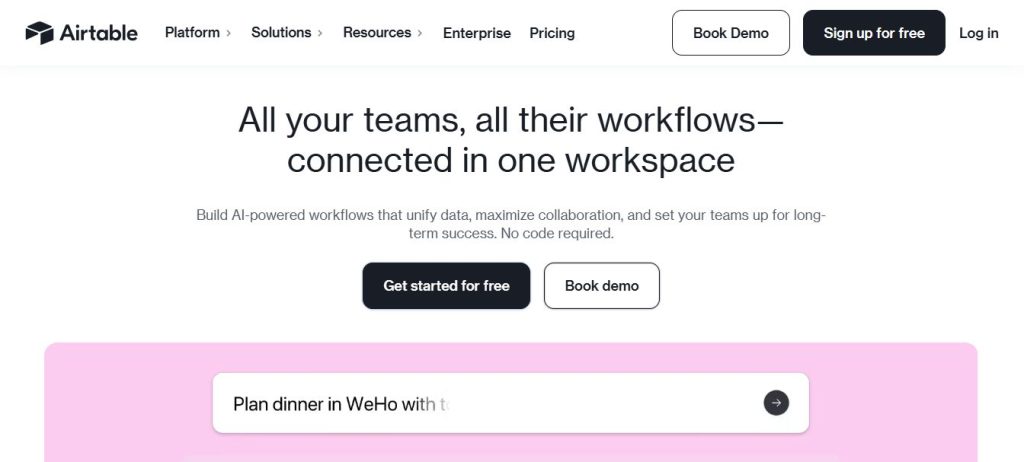
For project tracking, lightweight CRM, content calendars, and asset management, it outperforms a standard spreadsheet. Built-in automations handle routine notifications and record updates. For a broader look at this category, our overview of no-code database managers covers the full range of options. Airtable isn’t a substitute for a production database at high volume, but for a team of 5 to 50 people who need shared, structured data without an IT department, it’s one of the most practical examples of low-code platforms in everyday use. For teams that also need invoicing, inventory, and payroll in one place, a cloud ERP like Enerpize fills that gap without added complexity. Organizations using these tools report an average 62% reduction in development costs (per Searchlab’s 2026 statistics report) compared to traditional methods.
Retool — The Developer-Adjacent Internal Tool Builder
Retool connects to SQL databases, REST APIs, and cloud data sources, then lets you build internal dashboards and admin panels by arranging UI components visually. Tables, forms, charts, and buttons are all drag-and-drop. For teams with existing data infrastructure, it’s the most capable option in this category.
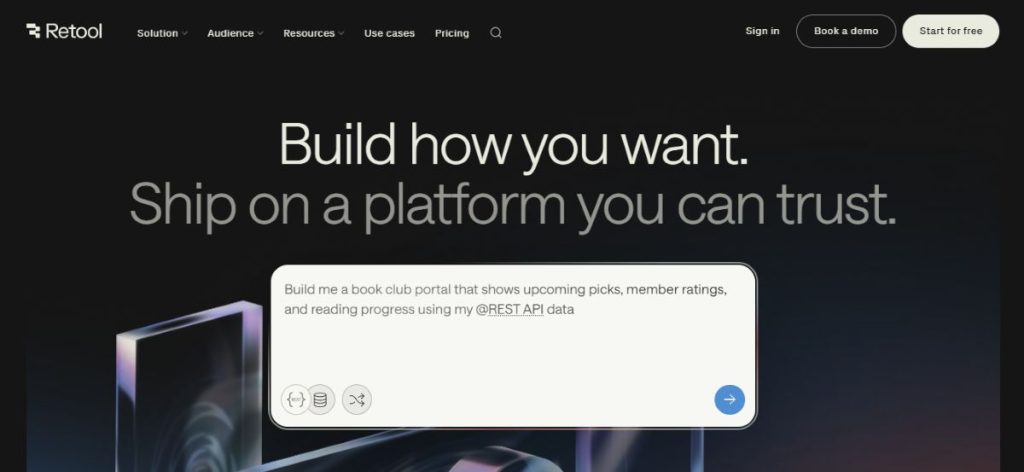
The honest note: Retool is low-code, not no-code. Getting full value requires writing basic JavaScript for custom queries and logic. For an ops team with a developer available a couple of days a week, Retool is a strong multiplier. For a fully non-technical team, it’s likely more tool than the situation needs.
AppSheet — Google’s Declarative Internal Tool Builder
Google AppSheet takes a different approach. You describe your data (usually a Google Sheet or connected database), and AppSheet builds an app structure from it. No canvas. You configure views, actions, and automations through a settings panel.
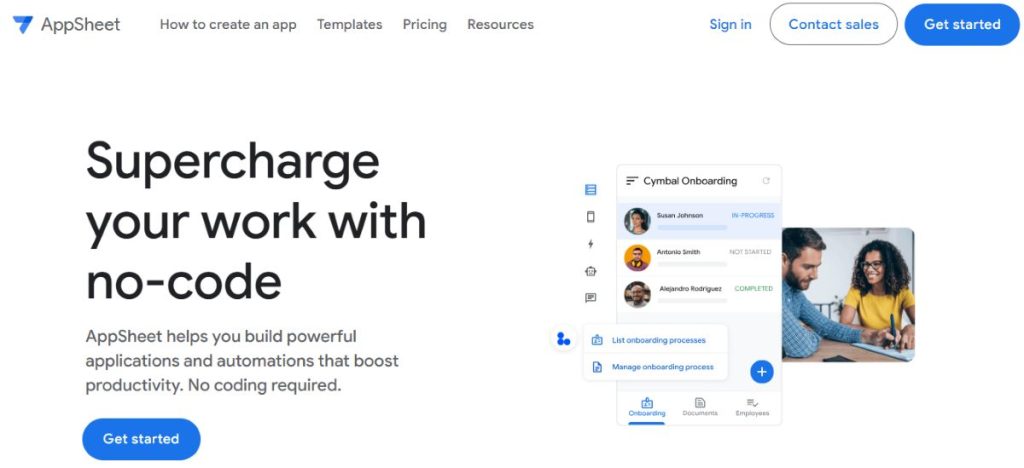
It’s strongest for field-based use cases: inspection checklists, inventory tracking, HR portals, and data-capture forms. AppSheet is included with Google Workspace Business plans, which makes it free for teams already on Google’s stack.
Category 5 — Enterprise Low-Code Platforms: For Organizations That Need Scale, Compliance, and IT Governance
This category is not for most SmartPHP readers. These tools are for mid-to-large organizations with IT departments, compliance requirements, and procurement budgets. Understanding them shows the full range of what low-code development platforms can do.
Microsoft Power Apps — The Enterprise Default
Microsoft Power Apps is the standard low-code platform for organizations on Microsoft 365. It connects deeply to Teams, SharePoint, Dataverse, and the broader Power Platform. Power Automate handles workflows. Power BI handles reporting. At $20 per user per month for the premium plan, it’s accessible for enterprise teams standardizing on Microsoft tools.
Business analysts and developers use Power Apps to build approval workflows, internal portals, and data-entry interfaces — without waiting in a dev backlog.
Mendix — The Enterprise Development Platform
Mendix is built for IT departments, not solo builders. The results it produces are serious. Financial services firm Collin Crowdfund built a complete lending platform in five months on Mendix. That platform has since processed over €235 million in loans. That’s the type of application Mendix is designed for.
It’s not a free-tier-and-figure-it-out tool. Mendix goes through formal procurement. If your first question is “what’s the free tier?”, this isn’t your category. If your first question is “does it have SOC 2 compliance and role-based access control?”, it might be exactly right.
OutSystems and Salesforce Lightning sit in the same tier: high capability, high cost, designed for teams with dedicated implementation resources.
The Smart Admin’s Platform Selection Framework
The most common mistake is choosing a platform from a feature comparison table. Features don’t tell you whether you can still manage it yourself in twelve months.
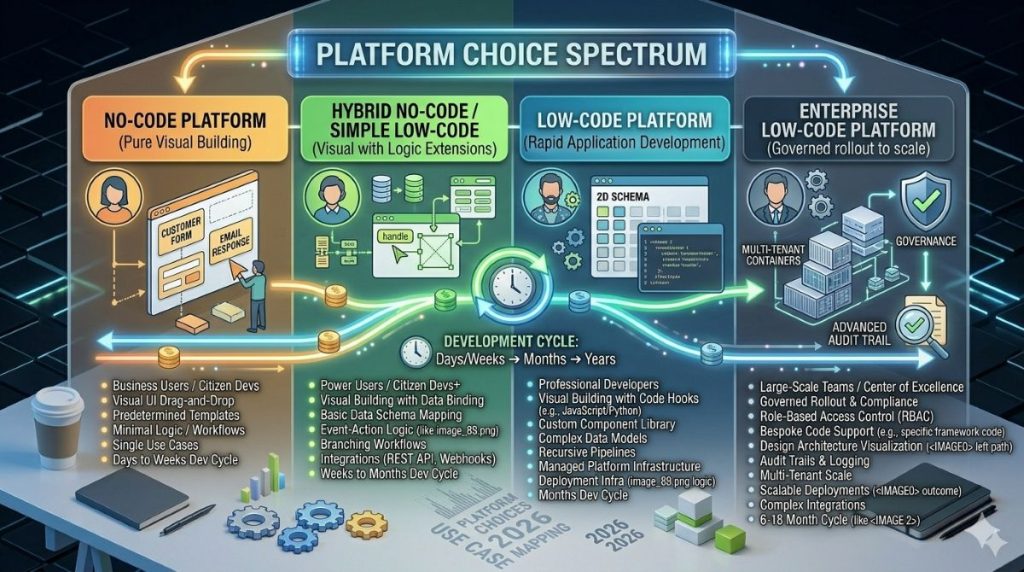
A cleaner approach maps the job to the category:
Building a website: Stay on WordPress if it’s working. Move to Webflow for design-first control without a traditional hosting setup.
Building a web app (user logins, a database, custom workflows): Bubble for no-code. Retool if technical help is nearby.
Building a native mobile app for the App Store or Google Play: FlutterFlow for native performance. Adalo for simpler builds.
Connecting existing tools and cutting repetitive tasks: Start with Zapier. Graduate to Make at higher volume. Choose n8n if you prefer self-hosting.
Replacing spreadsheets with shared structured data: Airtable, or AppSheet if you’re already in Google Workspace.
Enterprise application development with compliance needs: Power Apps (Microsoft ecosystem), Mendix, or OutSystems.
If you want a deeper look at when low-code fits and when it doesn’t, our guide on when to use a low-code platform covers the decision in detail.
The structural reason these tools matter in 2026 is clear. The U.S. faces a projected deficit of 1.2 million software professionals, with 545,000 experienced developers expected to leave the workforce. Globally, Korn Ferry projects an 85-million-engineer shortage by 2030. Business operators aren’t adopting no-code platforms because they’re fashionable. They’re adopting them because waiting for a developer is no longer a viable way to solve a business problem.
The best platform is the one you can build on, fix, and extend yourself twelve months from now.
Frequently Asked Questions
Bubble is one of the most complete examples for building web applications. You can add user logins, databases, workflows, and payments — all through visual tools. Zapier is a no-code platform for workflow automation. Webflow handles website design and content management without code. Each one targets a different use case within the broader category.
No-code platforms require zero programming knowledge. Everything is built through visual interfaces and pre-built components. Low-code platforms also use visual development but let users write custom code when the platform’s built-in tools aren’t enough. In 2026, the distinction is getting less clear as AI-assisted features let non-technical users generate code within both types. The functional difference still matters for anything beyond basic use cases.
Zapier is a no-code platform. Connecting apps and setting up trigger-action workflows requires no code at all. Make (formerly Integromat) is similar, though it handles more complex conditional logic. n8n is a hybrid: it has no-code modes but also supports custom code nodes, making it a low-code tool in practice for advanced setups.
Yes. Bubble has powered real SaaS products, marketplaces, and client portals. Six million builders have created over 7 million apps on the platform. The practical caveat: Bubble’s workload-based pricing can become unpredictable as an app grows, and the platform doesn’t export source code. For validating ideas and building internal tools, Bubble is a real production option. For apps with serious growth plans, factor in the lock-in risk before committing significant build time.
It depends on the task. For websites, Wix has the lowest barrier to entry. For automating tasks between existing tools, Zapier is the most beginner-friendly starting point. For building a web app with a database, Bubble has the strongest docs and community support, though there is a learning curve. For turning a spreadsheet into an app quickly, Glide is the fastest path for a non-technical user.