

Use a low-code platform when you need a working tool fast, your scope is well-defined, and the people maintaining it afterward aren’t developers. Skip it when your logic is genuinely complex, performance has to scale past what a visual layer handles cleanly, or vendor lock-in is a risk you can’t accept. Everything below explains why, with the data and the edge cases vendors leave out.
Gartner projects the global low-code market to hit $44.5 billion in 2026, growing at 19% a year. Vendors pitch these platforms as the fix for developer shortages, slow delivery, and tight budgets. That pitch has merit. It’s also written by people who sell the product.
Most guidance on when to use a low code platform comes from vendors or from enterprise IT teams with a dozen developers on staff. That leaves a gap for the people who actually need this answer: business owners, solo operators, and non-technical teams weighing a real decision. Gartner reports that 41% of employees are now “business technologists” — people outside formal IT who build or customize business software as part of their job. Forrester Research finds that 87% of enterprise developers now use low-code platforms for at least part of their work. The audience for low-code has changed. Most of the people building with these tools are not professional programmers.
Low-code is powerful for the right jobs. It also creates real problems for the wrong ones. This is the vendor-neutral take on that decision. For smaller, well-defined tasks, users can also rely on specialized tools, such as a free reels download tool, without introducing unnecessary complexity into a larger workflow.
What “Low-Code” Actually Means in 2026?
A low-code development platform lets users build functional business software using visual interfaces, drag-and-drop components, and pre-built logic blocks. No custom code required from scratch. Where traditional development needs a developer writing every line, low-code handles the routine scaffolding visually — allowing a business owner or operations manager to build and maintain the same internal tools a development team would otherwise have to build on their behalf.
The difference from no-code matters. No-code platforms (Webflow for sites, Zapier for automation) aim for zero coding — simpler, but limited to what the platform already supports. Low-code platforms go further. They allow some custom code where needed, which makes them more capable for non-standard needs while still being usable by non-developers.
Traditional development has no ceiling. A skilled engineer can build anything, given time and budget. For businesses planning AI-powered products or enterprise-grade applications, partnering with an AI development company in USA is often the better long-term approach. Low-code trades that flexibility for speed and access. That tradeoff works well in specific contexts and badly in others.
In 2026, AI has entered the picture. Platforms like Bubble, Glide, and Microsoft Power Apps let users describe features in plain language and generate working UI elements. That lowers the entry bar. It does not change the structural limits of low-code — the walls are just easier to reach.
If you’re newer to these tools, our overview of what it takes to build a low-code platform covers the architecture and key decisions in plain terms. According to Gartner, 80% of low-code users are expected to come from outside IT departments by 2026, up from 60% in 2021. These platforms weren’t designed for developers. They were designed for you.
How Low-Code Actually Works?
How Low-Code Actually Works
Most explanations stop at “drag-and-drop interface.” That’s accurate but incomplete — and the gap between them is exactly what separates a platform that scales from one that becomes a ceiling.
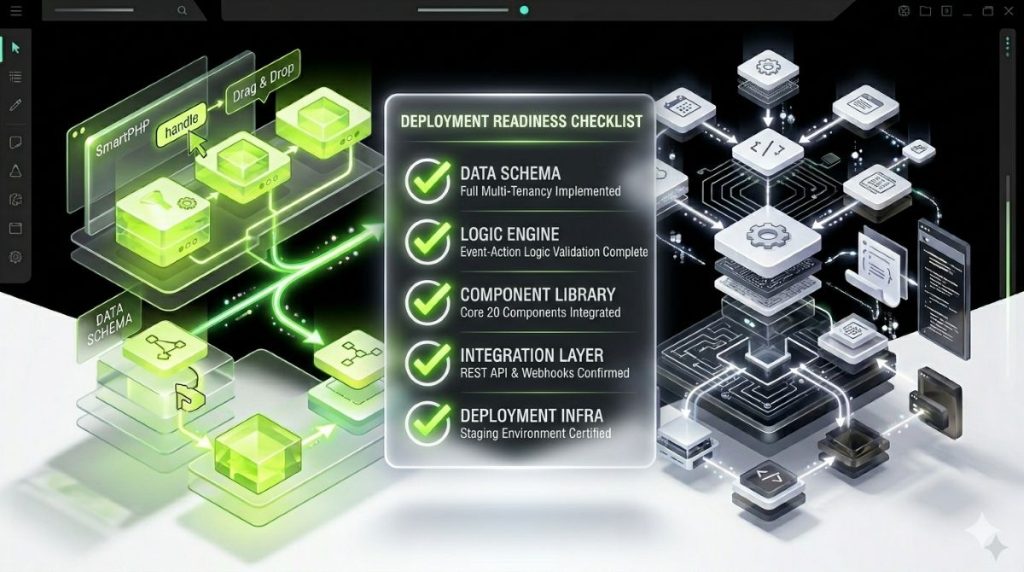
Every low-code platform is built on a layered architecture. Each layer matters. When a platform starts to limit you, it’s almost always one of these hitting a wall:
Visual development studio — the canvas where you place elements, build screens, and define data models. The layer vendors demo first and talk about most.
Logic engine — executes the conditional rules and workflows you define: if this field is empty, if this user’s role matches, if this date has passed. The depth of the logic engine is the most important factor in how complex a workflow you can build before needing custom code.
Integration layer — the pre-built connectors to external services, databases, and APIs. A shallow integration layer is the single most common reason teams outgrow a platform months after launch.
Deployment infrastructure — ships and hosts the running application. Includes staging environments, versioning, rollback, and custom domain support.
Governance controls — role-based access, audit trails, and version history. Often absent or paywalled on entry-level plans.
This architecture descends from rapid application development (RAD) — a software methodology from the 1990s built on the same core idea: prioritize working prototypes and iterative feedback over exhaustive upfront specification. Low-code platforms are RAD’s visual-first, 2026 execution.
Platform classifications — the three formal categories matter when evaluating vendors:
- LCAP (low-code application platform): Gartner’s term for platforms supporting full application development and deployment — OutSystems, Bubble, Mendix. An integrated development environment with visual modeling, declarative logic, and governance controls.
- LCDP (low-code development platform): the broader category. Any software development environment using a graphical interface to minimize hand-coding, regardless of enterprise scale.
- CADP (citizen automation and development platform): platforms aimed specifically at non-technical business users building automations — Zapier and Make sit here.
The practical test when evaluating any platform: ask the vendor which of the five architectural layers limits first. The one that markets itself as simplest is rarely the one with the deepest logic engine.
When You Should Use a Low-Code Platform?
The question isn’t whether low-code delivers value. The evidence on that is solid. The real question is whether it delivers value for your specific project. Five conditions signal a genuine fit.
Condition 1: You Have a Deadline and a Thin Dev Team
If you need a working internal tool, approval workflow, or client portal in weeks — not quarters — low-code is usually the right call. Platforms consistently cut development time by 50% to 90% compared to traditional builds. Apps that would take a developer three months can be live in under three weeks.
For a business owner or Smart Admin with no in-house developer, this is where low-code earns its keep. A booking system with conditional logic, a client intake form that routes to different team members, a business operations dashboard that pulls from a live database — these are all buildable in days, not months. The business software that used to require a developer engagement is now buildable by the person who actually uses it.
Condition 2: Your Business Application Has a Clear, Bounded Scope
The best low-code results come from projects with a well-defined purpose. Internal business software — dashboards, CRM extensions, approval apps, client portals, workflow automations, and data-entry interfaces — is the category where low-code consistently delivers. According to Capterra, 77% of low-code users report that it has met or exceeded their expectations for project delivery speed.
One practical test: if you can describe what your app needs to do in a single paragraph without using the word “complex,” you likely have a low-code use case.
Condition 3: You’re Validating an Idea or Building a Prototype
Low-code is ideal for MVP testing. Build a working version, get it in front of users, get feedback, iterate — in days, not months. Research compiled by Searchlab shows the average low-code project wraps in 3.2 weeks versus 14.8 weeks for a comparable traditional build. At the validation stage, that gap isn’t just convenient. It’s a structural advantage.
One caveat: prototypes built on low-code platforms sometimes get pushed to production without a proper review. Build the MVP fast, then check whether the platform can scale before you fully commit.
Condition 4: Business Staff — Not Engineers — Will Own This After Launch
When the people who will update and fix the app are business staff in ops, marketing, or sales — not engineers — low-code gives them the control they need. Gartner data shows the most common citizen developer roles are operations managers, analysts, and administrative staff. For a business owner who needs a tool that can be updated without calling a developer every time something changes, this is the decisive advantage.
Condition 5: Budget Is Constrained
Low-code cuts dev costs by up to 70%. In a Nucleus Research case study, Ricoh achieved 253% ROI with a payback period of roughly seven months after adopting OutSystems. A Forrester Total Economic Impact study of the same platform documented 363% ROI over three years, with payback inside six months.
For a business owner evaluating build vs. hire, the math is direct. If the alternative is paying a developer $80–$150 per hour over several months, low-code often pays for itself on the first project — and the resulting business software stays under the owner’s direct control rather than requiring developer access for every change.
When You Should NOT Use a Low-Code Platform?
Vendor-written articles downplay this section. These are not edge cases — they are common failure modes.

Scenario 1: Your Business Logic Is Genuinely Complex
Low-code platforms abstract the underlying code. That’s what makes them fast. It’s also what makes them a ceiling. Advanced algorithms, real-time data processing at scale, financial trading logic, and embedded device software all need precise control that abstraction layers can’t provide. When the platform’s built-in capabilities don’t match your needs, the result is an app that’s slow, inaccurate, or stuck.
This is the most common reason early adopters abandon their platform. Not because low-code is poorly built — because the project grew past what it was designed for.
Scenario 2: Your UI/UX Is the Core Product
If your app lives or dies on animation quality, micro-interactions, or a deeply branded custom interface, pre-built components will become a wall, not a shortcut. Front-end design at that level — custom typography systems, bespoke UI components, pixel-precise responsive layouts across breakpoints — is exactly what a visual builder’s templated design language can’t replicate. Consumer-facing apps competing on design — premium fitness trackers, fintech interfaces, heavily branded customer experiences — need direct front-end control that most low-code platforms don’t offer.
Scenario 3: High-Traffic or Performance-Critical Applications
The layers that make low-code accessible also add overhead. At low traffic, this is invisible. At scale — tens of thousands of concurrent users, complex real-time queries, latency-sensitive operations — it can cause slower load times and unpredictable drops in performance.
An internal tool used by 50 employees will never hit this limit. A customer-facing SaaS app that takes on traffic spikes will.
Scenario 4: You Need Full Data Portability
Vendor lock-in deserves more attention than it gets. Most proprietary low-code platforms store your app logic, database schema, and data in formats that don’t export cleanly. Moving to another platform or rebuilding in traditional code requires a full redevelopment effort. Legacy software modernization services can help businesses update older systems while preserving essential data, functionality, and business processes.
Analysts at DesignRush noted in early 2026 that hidden dependencies in low-code tools tend to surface after launch — when systems are already embedded in operations and the cost of fixing them is much higher. Before selecting any platform, ask this: if the vendor doubles pricing next year or shuts down, what happens to your app and your data?
Open-source platforms — ToolJet, Appsmith — partly solve this. They give you code ownership and a real exit path. If data portability is a priority, this factor deserves weight in your decision.
Scenario 5: Compliance or Security Requirements Are Specialized
General-purpose low-code platforms offer solid baseline security — SOC 2, role-based access control, HTTPS by default. But specialized needs can exceed what a platform provides natively. HIPAA-compliant data handling, PCI-DSS for payments, custom audit trails, or granular permission models may require capabilities the platform simply doesn’t have. Always check compliance requirements against the platform’s documentation before committing.
One final note: Gartner warned that 50% of applications will carry avoidable technical debt. Low-code builds created fast, without documentation or governance, are a common source.
Real-World Use Cases for Low-Code Platforms
Here are the specific, practical scenarios where low-code performs well in 2026.
Internal business software is the highest-return category: expense approval flows, equipment maintenance request apps, employee onboarding checklists, inventory dashboards, and incident reporting systems. These hit all five of the fit conditions above and represent the exact type of business productivity software that low-code platforms were designed to produce quickly.
Customer-facing business portals work when the core interaction is data access, not design quality. Client project dashboards, B2B order portals, booking systems with moderate logic, and status-tracking interfaces all fit this pattern.
Mobile app development company for field teams and customer access works well within low-code when the logic is bounded and the audience is defined. FlutterFlow outputs native iOS and Android apps; Bubble’s native mobile builder does the same for web-first teams that need a mobile companion app. Both share the same database and backend as the web version. If you’re still deciding which type of platform suits your business, our guide on which no-code business app builder to use walks through the decision by use case.
Business process automation — syncing data between a CRM, a database, and an email tool; generating scheduled reports; routing form submissions — works naturally with low-code, especially when paired with Zapier or Make for the integration layer. This category of business productivity software accounts for the majority of low-code adoption at the small-business level.
For Smart Admins working in or near WordPress, the relevant platforms differ from what enterprise-focused competitors cite. Glide is the best option for building apps from Google Sheets data — no database setup required. Bubble is the most capable platform for web app logic: marketplaces, SaaS layers, anything needing custom database structures. FlutterFlow is the strongest path to mobile-first app builds. These are the platforms relevant to a non-enterprise buyer — not Mendix or OutSystems, which need dedicated platform expertise to operate. For a ranked breakdown of options, our review of the best no-code business app builders covers pricing, features, and fit by business type.
What low-code doesn’t do well: full social networks with recommendation algorithms, trading bots that need microsecond execution, apps where rich UI animations are the main differentiator, or embedded firmware for IoT devices.
The Go/No-Go Decision Framework
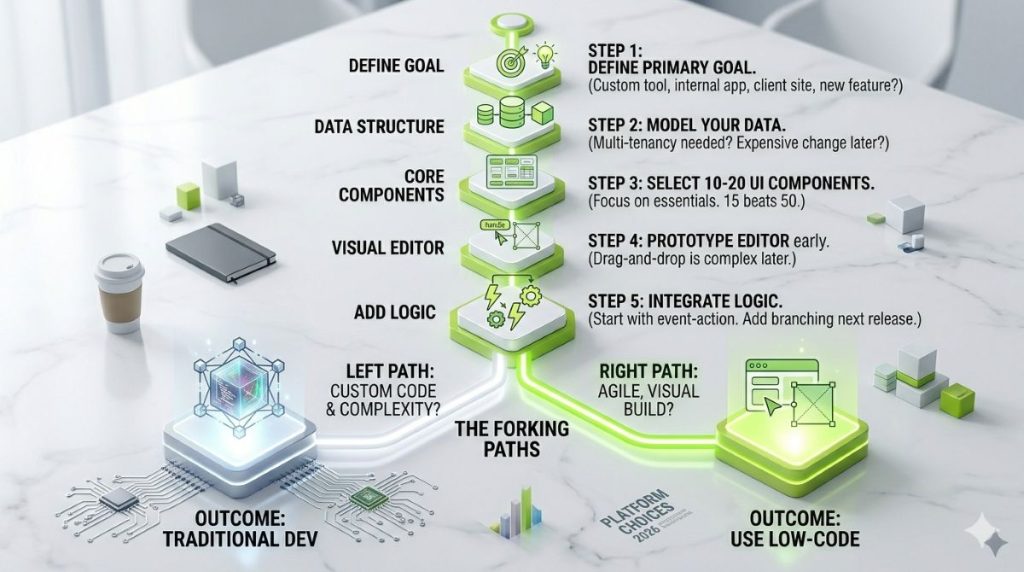
Answer these five questions about your project:
- Can you describe the app’s core features without technical jargon? (The scope is clear enough to build against.)
- Will non-developers own and maintain this app after launch? (Engineering won’t be on the hook for future changes.)
- Is this an internal tool, workflow, or MVP — not a customer-facing product competing on design?
- Is your timeline under three months and budget under what a developer would charge for the same build?
- Does this app avoid deep integration with proprietary legacy systems or complex compliance needs?
Yes to four or five: low-code is worth serious evaluation. Yes to three: do more scoping before you commit. No to three or more: budget for traditional development, or a hybrid setup where developers handle the core and low-code manages peripheral tooling.
| Factor | Low-Code Platform | Traditional Development |
|---|---|---|
| Typical build time | Days to a few weeks | Months to a year or more |
| Team size required | One person, often non-technical | Developer or development team |
| Upfront cost | Free to a few hundred dollars/month | $80–150/hour for contracted development |
| Customization ceiling | Bounded by the platform’s logic engine | Effectively unlimited, given time and budget |
| Who maintains it | Ops, marketing, or business staff | Engineering team |
| Data portability | Varies — proprietary platforms lock data in | Full, by default |
| Best fit | Internal tools, MVPs, bounded workflows | Complex logic, high-scale, design-critical products |
For most business owners and Smart Admins — WordPress site owners, small business operators, or solo ops managers — answers tend to cluster toward four or five yeses. Low-code exists to give business owners the ability to build and maintain practical business software without depending on a development team for every change. That’s the sweet spot in practice.
On the easiest-to-use low-code development platforms in 2026: Glide has the lowest learning curve for data-driven apps (build directly from a Google Sheet; skip the database setup). Bubble is more capable but takes two to four weeks to get comfortable with. FlutterFlow is the best path to mobile apps without prior dev experience. For a full platform comparison, SmartPHP’s breakdown of Bubble vs FlutterFlow vs Glide covers each platform’s edge cases and limits in depth.
What AI Changes, and What It Doesn’t?
AI has genuinely lowered the bar for building with low-code platforms. Natural language UI generation, AI-assisted data mapping, auto-generated workflow logic — these are standard features on most major platforms in 2026. Forrester sees AI-accelerated growth as the most likely near-term scenario, with platforms moving from visual drag-and-drop toward goal-driven agents that build and refine workflows without manual configuration.
For non-developers, the gap between an idea and a working prototype has shrunk considerably. If you’re specifically evaluating AI-enhanced no-code tools, our guide to the best no-code AI platforms compares the current options by capability and price.
What AI doesn’t change: the structural constraints. Performance ceilings exist regardless of how the app was built. Vendor lock-in is architectural, not methodological. Complex business logic still hits the same abstraction walls whether it was built visually or through a natural language prompt.
The honest 2026 position: if your use case wasn’t a fit before AI features, AI alone isn’t a reason to adopt a low-code platform. If the use case already fit, AI makes it faster and more accessible. On the ownership question, open-source low-code platforms are growing in adoption as a direct response to vendor lock-in concerns — they give you the speed advantage without giving up code ownership.
Low-code is the right business software category for a specific, bounded set of projects. The mistake most growing businesses make isn’t picking low-code when they shouldn’t — it’s picking the wrong platform, or building something that was always going to need custom development and discovering it six months too late. Business owners who treat the platform evaluation as seriously as the build decision are the ones who get value from these tools long-term.
By 2029, Gartner projects 80% of mission-critical enterprise applications will rely on low-code platforms. The direction of the market is clear. The question is whether your current project is the right starting point.
If your go/no-go answers lean toward yes, shortlist Bubble, Glide, or FlutterFlow and build a prototype first. If they lean toward no, a scoped developer engagement or a hybrid approach will serve you better long-term.
Low-Code Platform Features, Defined
A quick reference for the technical terms that show up in every platform’s marketing — and what they actually mean for your build.
Visual development studio — the drag-and-drop canvas where you design screens, workflows, and data models. This is the layer most “low-code” marketing talks about exclusively.
Logic engine — the system that executes your conditional rules: if a form field is empty, if a user’s role matches a permission, if a date has passed. The depth of a platform’s logic engine determines how complex a workflow you can build without dropping into custom code.
Integration layer — the pre-built connectors to databases, APIs, and third-party services (Stripe, Slack, your CRM). A shallow integration layer is the single most common reason teams outgrow a platform.
Declarative logic — rules you define by describing the outcome you want, rather than writing step-by-step instructions for how to get there. This is what makes visual workflow builders possible — you specify the “what,” the platform handles the “how.”
Governance and audit trail — role-based access controls, version history, and change logs. Enterprise platforms have this built in; many startup-focused platforms add it only on higher pricing tiers.
Deployment pipeline — how your finished app actually goes live: staging environments, one-click publish, custom domain support. This varies more between platforms than most comparisons acknowledge.
Frequently Asked Questions
Speed and access. Low-code platforms cut development time by 50–90% compared to traditional coding and allow business owners and non-developers to build and maintain functional business software without engineering support. For internal tools, workflow automations, and business processes that need to move faster than a development queue allows, this is the primary value. Business applications that previously required months of developer time can be deployed in days.
Yes — for the right categories. Internal dashboards, approval workflows, client portals, and data-entry apps are routinely built and maintained by ops managers, marketing staff, and solo business owners using platforms like Glide, Bubble, and Power Apps. Production readiness depends more on the app’s scope and governance approach than on who built it.
Vendor lock-in is the most significant long-term risk. Proprietary platforms store app logic and data in formats that don’t transfer cleanly, making migration costly. Technical debt is the second concern: apps built fast without documentation become hard to maintain as needs evolve. Checking a platform’s data export options — and considering open-source alternatives — before committing reduces both risks.
Three signals: the core logic requires advanced algorithms, real-time processing, or custom integrations that can’t be replicated by pre-built connectors; UI design quality is a competitive differentiator requiring polished animations or bespoke interactions; or compliance requirements exceed what the platform natively supports. Any one of these points toward traditional development or a hybrid setup.
Glide has the lowest learning curve — it builds apps from Google Sheets with no database setup required. Bubble is more powerful but takes two to four weeks to learn well. FlutterFlow is the strongest option for mobile apps. All three are more accessible now than two years ago, partly because AI-assisted build features reduce the initial configuration work.