Over 4.7 million apps have been built on Bubble, and startups on the platform have collectively raised more than $15 billion in funding. That’s not the profile of a hobbyist tool. It’s a production-grade platform — and it deserves a production-grade answer to the question every prospective learner eventually hits: how long will this actually take?
The right question, though, is not “how long to learn Bubble.” It’s how long until you can build the specific thing you came here to build. A founder testing an MVP, a freelancer hunting their first client, and an operations manager trying to replace a spreadsheet workflow are all learning the same tool — but their finish lines are completely different. Most guides treat them as one person. This one doesn’t.
Bubble is harder to pick up than most no-code platforms. Workflows, data types, and privacy rules take real time to internalize. But the platform’s capability scales with that investment, and with the right course and a clear goal, most non-technical learners can reach a working first app faster than they expect.
Why the “How Long” Question Doesn’t Have One Answer?
Three variables determine your real timeline, and the typical beginner/intermediate/advanced framework misses all three.
Prior tech background matters. Someone who’s worked in Webflow or Airtable will move through Bubble’s core concepts noticeably faster — they already have mental models for databases and conditional logic. Someone starting completely fresh needs more time with fundamentals. Neither situation is a problem. It’s just accurate calibration.
Hours per week is the most predictable lever. Spending 1–2 hours daily can produce visible results in a few weeks; a dedicated 6–8 hours per day gets a beginner to functional app builds in roughly two months. That math is straightforward, but most guides don’t state it plainly.
Your actual goal is the variable that determines when you’re done. A learner building an internal scheduling tool needs far less depth than someone charging clients for custom SaaS builds. Bubble training is not a single journey with one finish line. Knowing your goal from day one cuts weeks off your timeline — you stop learning things you don’t need yet.
One honest note: Bubble has a steeper learning curve than tools like Glide or Softr. It’s still faster than learning full-stack web development. That’s the baseline.
Goal-Based Timeline: Pick Your Path
Here are three realistic tracks with concrete timelines and clear endpoints.
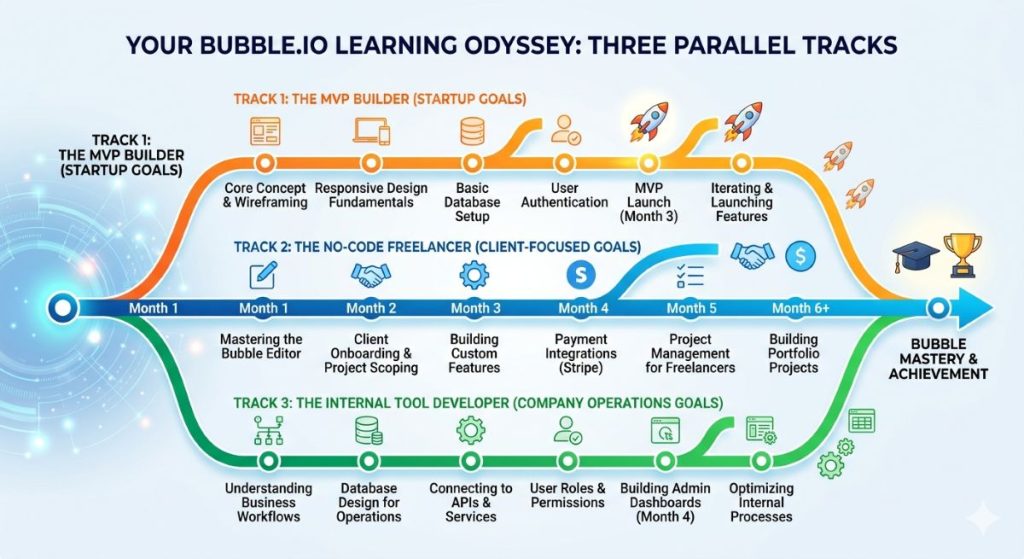
Track A — Build a Personal Project or MVP
Timeline: 4–8 weeks part-time (roughly 10–15 hours per week)
At the end of Track A, you can build a functional app with user authentication, a working database, and basic workflows. A task manager, a booking system, a stripped-down marketplace — these are achievable. The UI won’t be polished, and it won’t handle scale. But it will work, and you’ll be able to put real users in front of it.
One developer started learning Bubble in August 2022 and spent roughly three months exploring the platform before feeling ready to build her MVP in November. She chose Bubble over Webflow specifically for its all-in-one database and logic setup. Three months to MVP from a cold start, part-time — that’s the realistic upper bound for Track A.
For Smart Admins who need to test a business idea before committing engineering spend, this is the track that counts. For a broader look at which platforms suit early-stage builds, our no-code platforms for MVPs guide is a useful reference.
Track B — Freelance Client Work or Agency-Quality Apps
Timeline: 3–6 months part-time, or 2–3 months near-full-time
Freelance-grade Bubble work needs a different depth. You’ll need to handle complex privacy rules, API connections, and plugin management. You’ll also need to build toward a client brief rather than your own preferences.
The gap between Track A and Track B is real. A Berlin-based SaaS founder built and launched a B2B app in under three months, then secured pre-seed funding on that MVP. That timeline reflects strong tech experience and near-daily building. For someone without that background, three months is the optimistic end of the range.
A developer who held 30+ hours per week of practice reports building a substantial MVP within three months. At a typical part-time pace, three months builds basic command; six months gets you to intermediate proficiency. Building clones of real production apps — a LinkedIn-style directory, an Airbnb marketplace — is the fastest path to freelance-ready depth. If you want to see the range of what Bubble builders have shipped, our roundup of apps built with Bubble covers the breadth well.
Track C — Internal Tools and Business Automation
Timeline: 2–4 weeks to a first working internal tool
Internal tools are simpler than consumer apps. Fewer users. No marketing-grade UI requirements. A more forgiving error tolerance. If you want to replace a manual process with a Bubble app your team can use, two to four weeks is achievable — but only with a specific, scoped idea from the start.
“Automate our client onboarding form and store responses in a database” is a two-week project. “Build an internal CRM from scratch” is a Track A or B project. Scope matters more than skill level here.
How Bubble Academy’s Free Courses Fit the Picture?
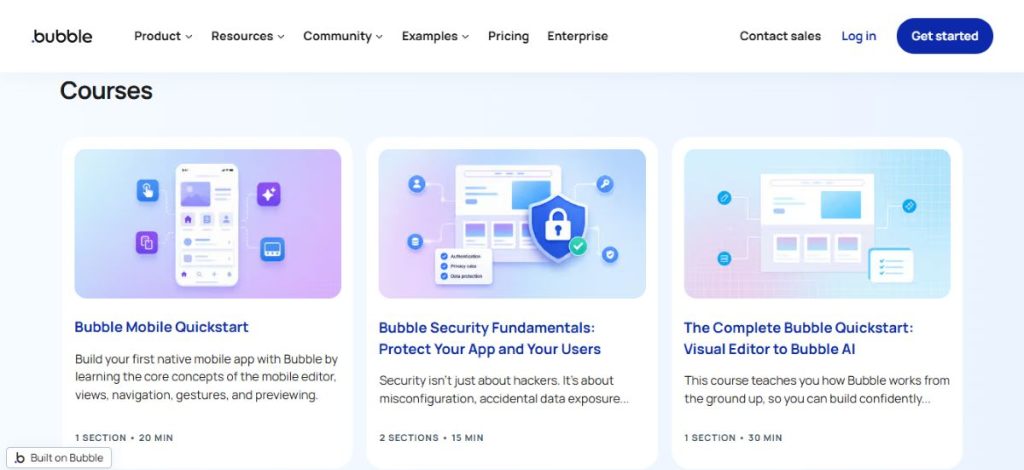
Bubble Academy lives at bubble.io/academy — free, officially maintained, and the right first stop for any new learner.
The free track covers the essentials: the property editor, page layout, Bubble’s database model, basic workflows, and the core logic patterns every app uses. After two to three weeks of working through this content, you’ll understand how the platform thinks.
The honest gap: the free Academy courses stop short of production depth. Privacy rules, advanced API connector usage, and performance patterns aren’t covered well. The bubble academy official courses open the front door. They don’t give you the full house.
The Academy page also serves as a course directory. Bubble curates links to third-party resources — free and paid — that community educators have built. If you’re looking for a broader bubble academy courses list, that directory is more current than any third-party roundup.
One recent change: the AI features are available on the free plan, including the Bubble AI App Generator and the AI Agent. You can use them before paying for anything.
Start with Bubble Academy for the first two to four weeks. Then pick a specialist course matched to your track. For a structured walkthrough of Bubble’s core features as a complement to the Academy, our Bubble tutorial for beginners covers the fundamentals in SmartPHP format.
Best Bubble Courses by Goal (Free and Paid)
The options for learning Bubble no-code are wider than most people expect. If you’re still deciding whether Bubble is the right platform for your project, our Bubble vs FlutterFlow vs Glide comparison breaks down when each tool fits. The key distinction for courses isn’t price — it’s whether they teach patterns you’ll actually use.
Free Options
Bubble Academy (bubble.io/academy) is the right structured starting point. Official, current, and built for learners who know nothing.
Building With Bubble’s free crash course (buildingwithbubble.com) covers how to build a fully functional app from a blank page. Reviews consistently note that the instructor avoids filler — you get what you need to start building.
YouTube covers individual topics well but isn’t a curriculum. Use it for specific gaps, not as a primary path.
Paid Options — Udemy (Best for Structured Beginners)
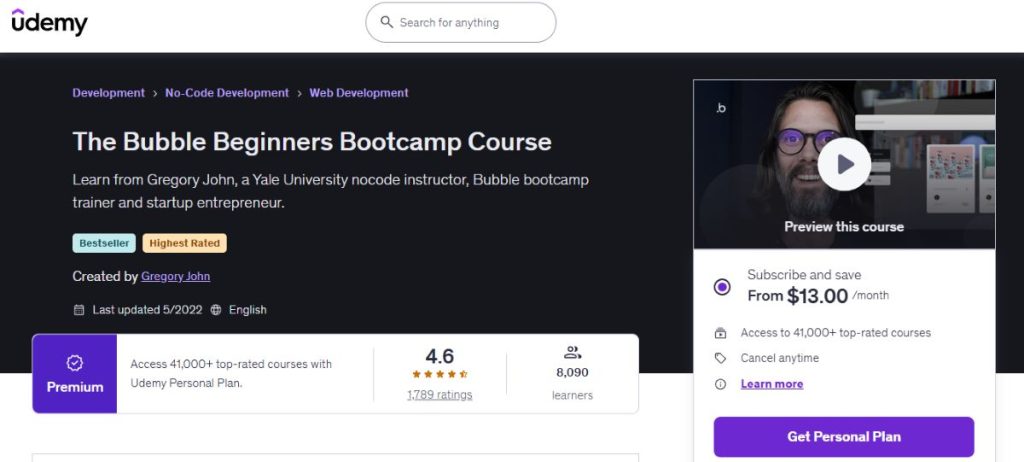
Udemy’s The Bubble Beginners Bootcamp is the most reviewed bubble course for beginners on Udemy: 4.6/5, 11.5 hours, builds a real project management app end-to-end. Best for Track A.
Complete Bubble Developer Course: Build Apps Without Coding by Leon Petrou: 100+ lectures, 10 hours, builds a Tinder clone from scratch. Good for understanding workflow logic. Useful for Track A and early Track B. Wait for a Udemy promotion — these courses regularly drop to $15–20.
Paid Options — Specialist Platforms (Best for Serious Builders)
Building With Bubble (buildingwithbubble.com): 39 courses, 400+ hours. The curriculum is clone-focused — Airbnb, Uber, LinkedIn, Etsy. All-in bundle at $299. This is the resource for Track B. Clone-building teaches the pattern recognition that client work demands faster than any other format.
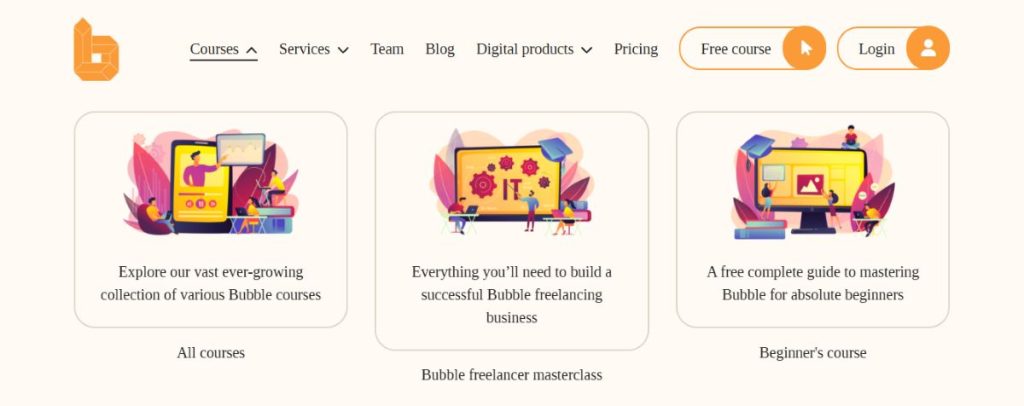
Zero to Pro Course (zerotoprocourse.com): A single focused course built from 3,000+ hours of Bubble expertise. Good fit for self-directed learners who find the Udemy ecosystem fragmented.
Airdev Bootcamp (build.airdev.co/bootcamp): Structured instruction from a well-regarded Bubble agency. Leans toward production standards from the start. Best for Track B learners targeting professional freelance work.
What the Bubble AI Editor Changes, and What It Doesn’t?
Bubble’s AI tools shifted substantially in late 2025.
The Bubble AI App Generator can scaffold a complete MVP in roughly 5–7 minutes from a text prompt. You get authentication, a database structure, and basic workflows — all generated before you write a single workflow yourself.
The Bubble AI Agent, launched October 2025, works inside the editor as a co-pilot. It suggests workflows. It helps debug logic. It explains what elements do. For someone starting fresh in 2026, this is a real accelerator. The blank-canvas problem is largely gone.
What hasn’t changed: the AI does not remove the learning curve. If you don’t understand Bubble’s visual system, you’ll get stuck when you try to customize anything. The scaffold is a starting point. It’s not a finished app.
Think of it this way: the AI generator is GPS. It gets you somewhere usable faster. But you still need to know how to drive — data types, workflow logic, privacy rules. Without that knowledge, you’ll stall at the first unexpected turn.
The native mobile app builder (public beta from August 2025, dedicated mobile pricing since October 2025) added further scope. Bubble now covers web and mobile in one environment. Learners today are working toward a higher ceiling than anyone was two years ago.
Tips to Learn Bubble Faster (The Practical Stack)
Start with Bubble Academy, not YouTube. Random tutorials assume knowledge they never taught you. The Academy builds vocabulary first. Without it, you spend half your time confused rather than building.
Pick one project before you start. The fastest learners have a specific app in mind from day one. They treat every lesson as a step toward that app. Concepts stick when you have a use for them immediately.
Give data types and workflows more time in the first two weeks. These are where most beginners stall. Bubble’s database doesn’t behave like a spreadsheet. Workflows have a structure that takes deliberate practice. Tackle them early rather than treating them as advanced topics.
Use the Bubble Forum before building workarounds. Over 300,000 community members. Most problems have already been solved and documented. A search usually beats an hour of experimentation.
Don’t learn advanced features until your project needs them. API connections, custom states, and plugin architecture are each their own time investment. Learning them in the abstract — before you have a use case — creates noise, not knowledge.
Use Bubble AI to explore, then disassemble. Generate a scaffold with the AI. Then pull it apart. Look at the workflows created, the data types structured, the conditions applied. Reverse-engineering a working app teaches faster than any course for project-specific learning.
Should You Learn Bubble Yourself or Hire Someone?
The decision is practical.
Bubble is faster to learn than full-stack development but more demanding than simpler no-code tools. Learning it yourself makes sense if you’re early-stage, testing an idea, or building something that needs ongoing iteration. Relying on an external developer for every small change adds up over time.
Hiring makes sense if you have a hard deadline, production-level complexity, or if your time is simply worth more elsewhere. A skilled Bubble developer builds in weeks what takes a beginner six months to learn.
The practical middle path: learn enough to manage what’s been built, then hire for the initial build. Two to four weeks of focused bubble training gives you enough fluency to brief a developer, review their work, and handle minor changes without calling for help. Once you’ve launched, no-code app growth hacking strategies offer practical ways to drive traction without engineering resources.
Frequently Asked Questions
For a non-technical learner, expect 4–8 weeks of part-time effort to reach a first working app. Intermediate proficiency — enough for freelance-grade work — takes 3–6 months at a consistent part-time pace. Daily hours matter more than raw ability.
Bubble Academy is free and officially maintained by Bubble. It covers core concepts well: editor basics, databases, workflows, page layout. On its own, it isn’t enough to build production-ready apps. Advanced topics like privacy rules and API depth aren’t covered. Use it as a foundation, then add a specialist course once your goal is clear.
Two stand out: The Bubble Beginners Bootcamp – Visual Programming (4.7/5, 11.5 hours, builds a project management app) and the Complete Bubble Developer Course by Leon Petrou (100+ lectures, Tinder clone project). Both build a real app from scratch. Wait for a Udemy promotion — prices regularly drop to $15–20.
Yes, with a clear goal and consistent effort. In one month at 10–15 hours per week, most learners can build a simple app with user authentication and a working database. That’s a real milestone. Freelance-ready depth takes longer — but one month is enough to know whether Bubble fits your use case.
Bubble Academy teaches how the platform works — it’s a foundation. Third-party bootcamps like Building With Bubble, Airdev Bootcamp, and Zero to Pro are project-driven. They build real apps, clone production products, and teach the patterns developers use in practice. The Academy gives you the vocabulary. Specialist courses give you the fluency to use it.