

The most-installed plugin in the Bubble ecosystem doesn’t process payments, send emails, or talk to ChatGPT. It runs JavaScript. Toolbox — a free utility with over 816,800 apps using it — has held the top installation spot year after year. Builders need it to close the gap between what Bubble can do natively and what a real app demands.
That gap is exactly where bubble.io plugins live. Bubble’s marketplace holds between 4,000 and 8,000 entries. Experienced builders who’ve shipped production apps say the list of plugins that earn their place in a real project is closer to twelve. Over 7.2 million apps have been built on Bubble, per the platform’s 2025 year in review. Choosing the wrong plugin stack early costs hours in maintenance and Workload Units in overages. The real challenge isn’t finding the best bubble plugins. It’s knowing which ones are maintained, which AI integrations are production-ready, and what a full plugin stack costs in 2026.
How to Evaluate a Bubble Plugin Before You Install It?
Most guides skip this step. They hand you a list of 50 names and leave the due diligence to you. For a Smart Admin building on Bubble without a developer on standby, that’s a real problem — you can’t read a plugin’s source code to assess it.
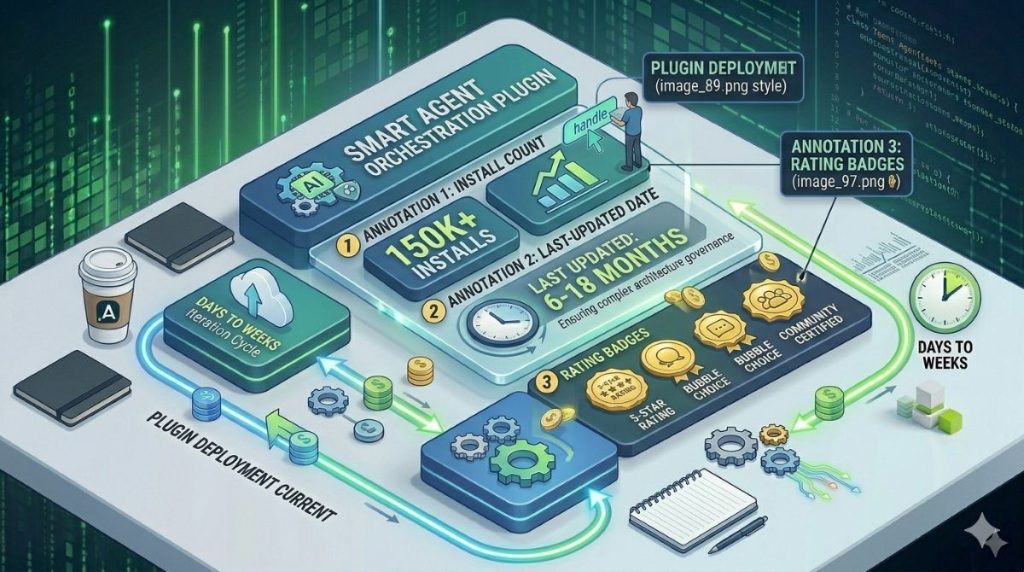
Five signals are worth checking before any install.
1. Last updated date. Bubble evolves fast. A plugin untouched for 12+ months is a liability. Check this under the plugin’s marketplace listing.
2. Install count. More than 10,000 apps using a plugin is a real signal of community adoption. Under 500 is borderline — only proceed if it covers a niche with no viable alternative.
3. Active forum threads. Search the Bubble forum for the plugin name. Recent questions with real answers show the plugin gets supported. A thread full of unanswered posts is a warning sign.
4. Rating and review count. A 4.0+ rating with at least 10 reviews is a reasonable floor. A 5.0 rating with two reviews tells you nothing.
5. Publisher reputation. Is this from a known Bubble agency with a track record? Or an anonymous single-plugin account with no update history? Publishers with a portfolio have something to protect.
There’s a sixth question specific to 2026: does this plugin trigger backend workflows or server-side operations? If it does, it will consume Workload Units every time it fires. Experienced Bubble agencies describe most marketplace entries as “outdated, poorly documented, or unnecessary” — the production list for any serious project is genuinely short. Find out about WU consumption before you discover it on your invoice.
If you’re still learning the platform itself, our beginner’s Bubble tutorial covers the editor, database, and workflow fundamentals before you’re ready to extend with plugins.
Essential Utility Plugins (The Foundation Every App Needs)
Install these before anything else.
Toolbox — The Indispensable Free Plugin
Toolbox is free, has over 816,800 installs, and sits at 4.1/5 stars. It lets you run JavaScript from Bubble workflows. It also generates random strings, creates tokens, and handles list operations that Bubble’s native tools don’t support.
For a Smart Admin, the key point is simple: Toolbox lets your app do things the Bubble editor doesn’t have a button for. Custom input checks, session token creation, complex string logic — Toolbox handles all of it. Install it on every app.
API Connector — Your Universal Integration Layer
Bubble’s API Connector connects to any external API without a dedicated plugin. The difference matters. A dedicated plugin (like the Stripe plugin) wraps an API in a friendly interface. The API Connector gives you direct HTTP access to any service.
Use dedicated plugins when they exist and are well-maintained. Use the API Connector when they don’t — or when you need control over request headers, response mapping, or model versioning. This is especially useful for AI integrations. For a broader look at how no-code builders handle APIs, our overview of no-code API tools for admins is a useful companion read.
Classify — For Design-Minded Builders
Classify is a free plugin with 82,700 installs. It adds custom CSS class names to Bubble elements. This opens up styling options that Bubble’s native tools don’t offer: animations, responsive tweaks, and design details. If you care about precise visual control, Classify belongs in your stack.
Air Date/Time Picker — Replace Bubble’s Native Date Input
Bubble’s built-in date picker is limited. Air Date/Time Picker gives you a full calendar with time selection, date ranges, and locale support. Any app with booking, scheduling, or event features needs this.
Payment and Commerce Plugins
Stripe — The Production Standard
Stripe is the most-used payment plugin on Bubble. It covers one-time charges, subscriptions, metered billing, and invoices. The plugin links to Stripe’s API and supports 3D Secure, Apple Pay, Google Pay, and most payment methods globally. The plugin is free; Stripe fees apply on transactions.
For a Smart Admin building a SaaS product or subscription service, Stripe is the right starting point. Its billing tools — proration, billing cycles, payment retries — are the most mature in this category.
PayPal — For International Coverage
PayPal has broader reach than Stripe in parts of Asia, Latin America, and the Middle East. The plugin handles one-time payments and subscriptions. The subscription features are less polished than Stripe’s. Add it when your users prefer PayPal, not as a default.
Lemon Squeezy — When Tax Compliance Is the Priority
Lemon Squeezy is the merchant-of-record option for digital products. It suits one profile: a solo founder selling software or digital downloads who doesn’t want to handle EU VAT, US sales tax, or fraud prevention. Lemon Squeezy does all of that. The plugin is free; Lemon Squeezy takes 5% plus processing fees.
You give up margin for compliance peace of mind. For a small team with no finance function, that’s often the right call.
Communication and Email Plugins
SendGrid — The Transactional Email Standard
SendGrid handles emails like welcome messages, password resets, and receipts. Its delivery rates beat Bubble’s native email system. The plugin connects to SendGrid’s API, supports templates, and logs opens, clicks, and bounces.
The free tier allows 100 emails per day. That works for early-stage apps. The key rule: don’t use Bubble’s native email for anything your users depend on. SendGrid’s logs make failed emails easy to track and fix.
Twilio — SMS and Two-Factor Authentication
Twilio handles SMS and phone verification. Phone verification has become close to standard for marketplace apps and any platform where fake accounts are a risk. The plugin supports SMS and WhatsApp through Twilio’s infrastructure.
The setup is simple: Twilio for 2FA and SMS reminders, SendGrid for email. They handle different channels and don’t overlap.
The Best Bubble AI Plugins in 2026
Most plugin guides treat AI as a single item on a list. Three distinct paths exist, and they serve different builders at different stages.
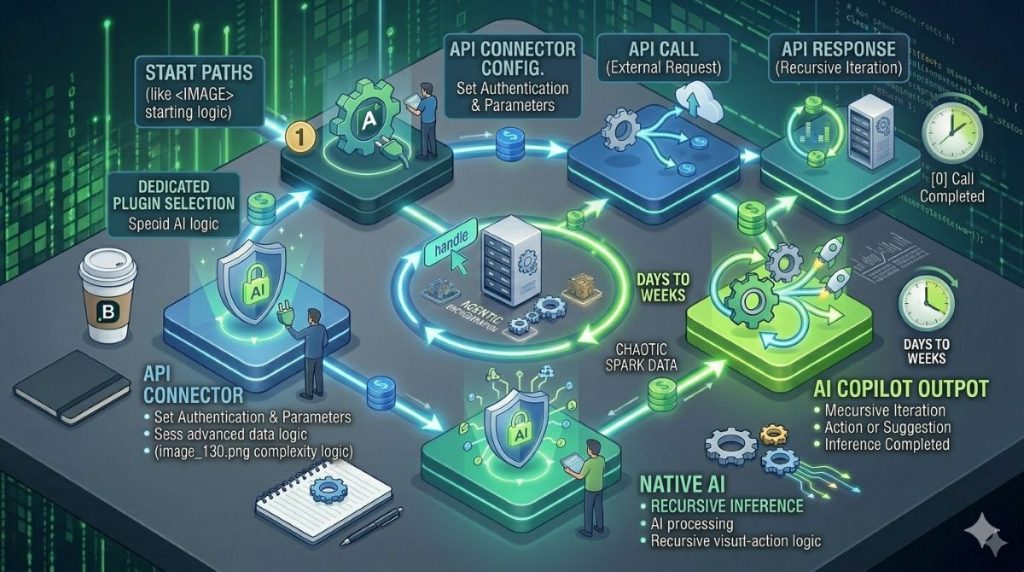
Path 1 — Dedicated AI Plugin
The ChatGPT | OpenAI Integration plugin (updated March 2026) is the fastest starting point. Install it, enter your OpenAI API key, connect it to a workflow, and you’re generating text responses within minutes. The OpenAI GPT-4 plugin and the Azure OpenAI Service plugin from Microsoft work the same way. If you’re building a chatbot or similar AI chat software, this approach lets you add conversational features to your Bubble application without building the entire system from scratch.
This path is best for one clear AI feature: a chatbot, a text generator, or a content tool. The trade-off is control. Dedicated plugins hide request details. You have less say over token limits and model versions than you’d want for a core AI feature at scale.
Path 2 — API Connector + LLM Directly
Connecting to OpenAI, Anthropic’s Claude API, or Google Gemini through the API Connector gives you full control. You set the request structure, pick the model version, and can switch providers without changing your plugin setup.
This path suits apps where AI is a core feature, not a small add-on. Setup takes longer — API authentication, response parsing, and Bubble state management all need work. For a Smart Admin who’s used the API Connector before, it’s doable in a few focused hours. For a broader view of what AI-powered no-code tools can do, our guide to the best no-code AI platforms covers the wider landscape.
Path 3 — Bubble’s Native AI Copilot
Bubble’s AI Copilot scaffolds app structure from a prompt. It builds pages, data types, and workflow outlines. Goodspeed, a Bubble agency with 200+ production apps, called it “promising for prototyping but still limited compared to other no-code tools for complex workflows” as of mid-2026.
This is a builder tool. Your users don’t see it. Don’t confuse it with bubble no-code AI plugins that run inside your live app.
The WU Cost Warning
AI workflows are some of the most Workload Unit-intensive things you can do in Bubble. An app calling OpenAI on every user action can burn through a Growth plan’s 250,000 monthly WUs fast. Bubble’s overage rate is $0.30 per 1,000 WUs beyond plan limits. Test AI workflow WU usage in a staging app before you go live.
The trending Bubble AI plugins in 2026 cover text generation, document analysis, smart search, and support agents. All are high-WU workflows when used at scale.
Data, Charts, and File Management Plugins
ApexCharts — The Best Chart Plugin on the Platform
ApexCharts costs $9/month or $160 one-time, has 15,200 installs, and holds a 4.8/5 rating from 57 reviews. It delivers interactive charts — bar, line, pie, area, mixed — with custom colour and tooltip controls. You pass Bubble data as number lists and label lists; the plugin renders the chart.
For customer-facing dashboards, ApexCharts is worth the cost. The free Chart.js plugin covers the same chart types with less visual polish. It works fine for internal tools. For paying customers, the difference shows.
Better Uploader — Replace Bubble’s Native File Input
Bubble’s native file uploader is poor. Better Uploader — free, 4,900 installs, 4.4/5 stars — replaces it with drag-and-drop, file preview, and large file support. Any app where users upload documents, images, or media should use this instead of Bubble’s default.
CSV Creator — The Missing Export Feature
1T CSV Creator exports Bubble database records to CSV files. It does one job and does it reliably. Required for any app with a data export feature — project tools, CRMs, reporting dashboards.
Free vs Paid — What a Plugin Stack Actually Costs
The claim that bubble.io plugins are mostly free is accurate for single plugins, but it hides what production stacks look like.
A lean early setup — Toolbox, API Connector, Classify, Stripe, SendGrid free tier, Better Uploader — costs $0/month in plugin fees. You pay Stripe transaction fees and SendGrid usage beyond the free tier, but no plugin subscriptions.
A full stack is different. Add ApexCharts ($9/month), Twilio ($10–30/month for moderate SMS use), and a premium UI component set ($15–30/month), and you’re at $35–70/month in plugin fees before the platform plan.
AI plugins shift the numbers again. The plugins are free. The model API calls are not. GPT-4o at production scale can reach $50–200/month in API fees, depending on token volume. Add a Growth plan at $119/month (250,000 WUs/month), and your total cost could reach $200–400/month before you have 100 active users.
Build a cost model for AI integrations before you turn them on. Know your WU consumption per AI call. Both numbers are easy to estimate before launch.
UI Enhancement Plugins Worth Knowing
These plugins improve how your app feels. Add them once your core product is stable.
Rich Text Editor (Tiptap-based) — A modern text input with Markdown support and better mobile behaviour. Needed for apps with user-generated content: notes, forums, document tools, comment sections.
Draggable Elements — Adds drag-and-drop: Kanban boards, sortable lists, reorder interfaces. If you’re building a project or task app, this makes the UI feel interactive rather than static.
Lottie Animations — Lightweight animations for loading states and transitions. A well-placed Lottie file improves how fast your app feels on slower connections.
Ionic Elements — Mobile-first UI components. Worth adding when most of your users are on phones.
The rule: don’t install UI plugins at the start. Each one adds overhead to your editor. Add them when a specific UX problem calls for a solution.
How Bubble Plugin Development Works? (And When to Build Your Own)
Bubble’s Plugin Builder lets developers create custom plugins and add them to the marketplace. A custom plugin can wrap any JavaScript library, create a new UI element, or connect a service that no existing plugin covers.
For a Smart Admin without coding skills, this matters when the marketplace has nothing useful and the API Connector workaround isn’t practical. The question is simple: hire a Bubble developer for custom bubble plugin development, or accept a narrower feature set.
Custom plugin builds from a vetted agency cost $500–$2,000+ depending on scope. That’s worth it when the plugin serves multiple apps, or when the feature is central to your product. For a single app, the API Connector is almost always cheaper and faster.
Custom plugins can be published to Bubble’s marketplace — free or paid. Developers who spot a genuine gap can turn it into a revenue stream.
The 2026 Starter Stack — What to Install First
The best Bubble plugin strategy is a short one. Here’s where to start as a non-developer building a first serious app.
Install on every app: Toolbox, API Connector, Classify
Add by use case:
- Taking payments → Stripe
- Transactional email → SendGrid (always)
- SMS or two-factor login → Twilio
- File uploads → Better Uploader
Add for data and charts: ApexCharts (paid, better look) or Chart.js (free, gets the job done)
Add for AI: ChatGPT Integration plugin for speed; API Connector + OpenAI or Anthropic direct for control
Wait until your core product is stable: Rich Text Editor, Draggable Elements, Lottie Animations, Ionic Elements
Every plugin you skip is one less thing to maintain when Bubble updates. The plugin ecosystem keeps growing — AI agents, broader native mobile plugin support, and new marketplace categories are already in motion for 2026. The selection principle stays the same: fewer plugins, well-chosen, properly evaluated. For a wider view of what no-code apps built on Bubble look like in practice, our Bubble app examples guide shows what real teams have shipped.
Frequently Asked Questions
Many are — including some of the most important ones: Toolbox, API Connector, Classify, and Better Uploader. Paid plugins typically cost $5–$30/month, or offer a one-time purchase. The plugin being free doesn’t mean the service behind it is free: Stripe, SendGrid, and Twilio all charge usage fees beyond their free tiers.
Open your Bubble app, click the Plugins icon in the left sidebar, then click “Add plugins.” Search by name or category, select the plugin, and click “Install.” Most plugins need configuration — entering an API key from the third-party service — before they work. Check the plugin’s documentation tab for setup steps.
Toolbox is a free Bubble plugin that lets you run JavaScript directly from workflows. It’s the most-installed plugin in the marketplace, with over 816,800 apps using it. Its main uses: generating random tokens, handling list operations, running logic the native editor can’t manage, and bridging Bubble’s visual system with custom code.
Yes. Bubble’s API Connector lets you call OpenAI’s API without a dedicated ChatGPT plugin. The benefit is full control: you set the model, manage request structure, and can switch to other AI providers (Anthropic Claude, Google Gemini) without changing your plugin setup. Dedicated ChatGPT plugins are faster to set up but less flexible for production use.
Yes. Plugins that trigger server-side operations — API calls, database lookups, backend workflows — consume Workload Units every time they run. AI plugins are especially WU-intensive on frequent user actions. UI-only plugins like Classify or Lottie Animations have minimal WU impact since they run client-side. Test WU consumption in a staging app before scaling any plugin-heavy feature to real users.