

When it comes to testing website changes without the risk of breaking your live site, staging environment tools are invaluable. These tools provide a safe space to experiment and make sure everything works seamlessly before deploying the changes. In this article, we will explore the top 5 staging environment tools that can help you streamline your testing process and ensure a smooth transition to your live site.
The “Smart Admin” Workflow: Why Staging is Non-Negotiable:
1. The “Update Fear” is Real:
The “Smart Admin” Workflow emphasizes the importance of staging environments in website development. In 2026, the intricate plugin ecosystems and advanced technologies like AI agents and API connectors have heightened the risks associated with live updates. This has led to what is referred to as the “Update Fear” among developers and administrators.
2. What is a Staging Site?
A staging site acts as a safeguard against this fear, serving as a private replica of your live website where you can experiment and test changes without affecting the user experience on the main site. It provides a secure space to identify and rectify issues before they go live, ensuring a seamless online experience for your customers.
3. The 2026 Advantage:
The evolution of website development tools in 2026 has introduced a game-changer known as “Selective Merging.” This innovative feature allows you to selectively merge changes from your staging site to the live site, ensuring that new designs are implemented without compromising critical data such as WooCommerce orders or user comments. It minimizes the risks associated with deploying updates, offering a more controlled and efficient workflow for website administrators.
In this digital landscape where user experience is paramount, having a staging environment has become non-negotiable. By leveraging the 2026 advancements in website development tools and embracing the concept of selective merging, administrators can streamline their workflows, mitigate risks, and deliver a flawless online experience for their audience. At the same time, marketing teams often use tools like an Instagram Post Generator for promotional creatives.
The Top 5 Staging Tools for Every Setup:
1. InstaWP (The “Sandbox-in-Seconds” Choice):
InstaWP is a game-changer in the world of staging environment tools.
The Tech: This cloud-based platform offers a unique feature – the ability to create a disposable WordPress instance in under 10 seconds.
Why it’s “Smart”: The Tech behind InstaWP is revolutionary, allowing users to set up a clean testing environment without utilizing their own hosting resources.
One of the standout benefits of InstaWP is its “Sandbox-in-Seconds” concept. This feature enables users to test specific plugins or themes in an isolated environment before implementing them on their actual server. This approach is incredibly “Smart” as it minimizes the risk of breaking your live site due to incompatible plugins or themes.
Best For: InstaWP is particularly well-suited for rapid prototyping and testing “risky” new plugins. By providing a quick and efficient way to experiment with different elements of your website, InstaWP empowers users to make informed decisions without compromising the stability of their site.
In a world where website performance and user experience are paramount, tools like InstaWP offer a valuable solution for developers and website owners alike. With its fast setup time and resource-efficient design, InstaWP sets itself apart as a top choice for those looking to streamline their testing process and ensure a seamless online experience for their visitors.
2. WP Staging (The Reliable All-in-One):
The Tech: WP Staging is a high-performance plugin designed to make site cloning a breeze. It creates a duplicate of your website within a subfolder on your current server, ensuring a reliable and efficient staging environment for testing.
Why it’s “Smart”: What sets WP Staging apart is its “All-on-Server” approach, eliminating the need for third-party accounts.
One of the standout features of WP Staging is its ability to seamlessly handle database search-and-replace tasks. This means that when you’re ready to push your changes live, the plugin takes care of updating all links to prevent any breaks or inconsistencies on your website. This level of automation not only saves time but also reduces the margin for error during the deployment process.
Best For: WP Staging caters to admins who prefer to have everything centralized in one location. By keeping the staging environment within the existing server, users can manage their website development and testing without juggling multiple platforms or accounts. This streamlined approach not only enhances convenience but also adds a layer of security by minimizing external dependencies.
In summary, WP Staging emerges as a reliable all-in-one solution for creating staging environments that are efficient, user-friendly, and secure. With its robust tech capabilities and smart automation features, this plugin proves to be a valuable asset for website administrators looking to test their changes thoroughly before making them live.
3. BlogVault (The Enterprise Safety Net):
BlogVault is a robust backup and security solution tailored for enterprise-level websites.
The Tech: Its integrated staging environment, hosted off-server, sets it apart as a powerhouse in the tech industry.
Why it’s “Smart”: The standout feature of BlogVault is its ability to maintain peak performance on live sites during the cloning process by hosting the staging site on its own servers.
Best For: For large websites with high traffic volumes, where server load is a critical factor, BlogVault emerges as the go-to choice. This tool ensures that testing and development activities can be carried out seamlessly without any impact on the live site’s performance.
With BlogVault, users can confidently experiment with website changes, updates, and new features in a secure staging environment, knowing that their live site will continue to operate at optimal levels. This functionality makes it an invaluable asset for businesses looking to maintain a flawless online presence while implementing necessary updates and modifications.
In conclusion, BlogVault’s Enterprise Safety Net provides a reliable and efficient solution for managing staging environments without compromising website performance. Its integration of backup and security features with an off-server staging environment makes it a smart choice for large websites seeking to test and deploy changes without risking any disruptions.
4. LocalWP (The Developer’s Desktop):
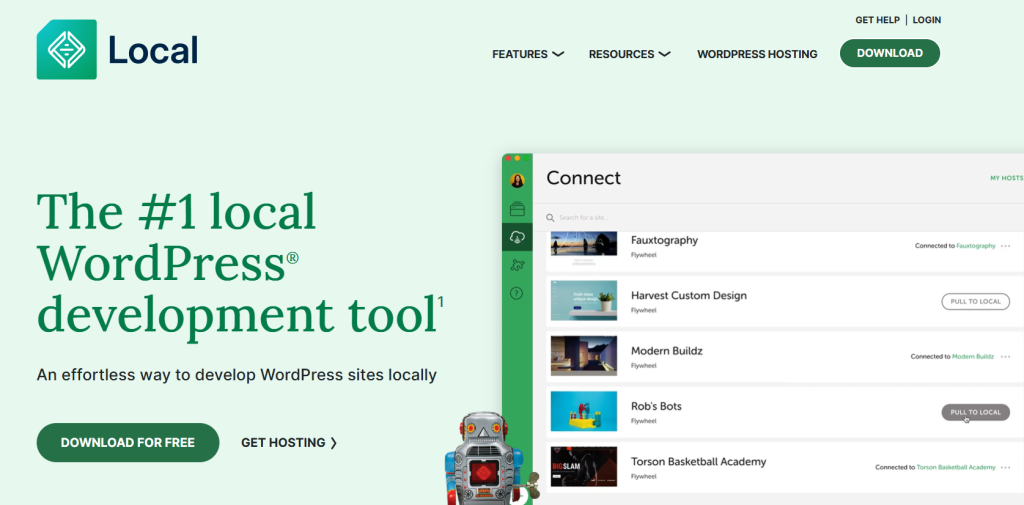
The Tech: LocalWP, also known as the Developer’s Desktop, is a powerful tech tool that offers a free desktop application allowing you to run WordPress locally on your Mac or PC. This tool serves as a staging environment for developers to test websites without affecting the live site.
Why it’s “Smart”: One key feature that makes LocalWP “Smart” is its ability to work offline. This is particularly beneficial for developers who prefer to work without an internet connection or need to make changes while on the go. The integration of “Local Connect” further enhances its efficiency by enabling users to pull their live site down, make necessary modifications over several days, and effortlessly push the changes back up to the host server with just one click.
Best For: LocalWP is best suited for deep website redesigns and those who prioritize working offline or in environments with limited internet access. Its user-friendly interface and seamless synchronization capabilities make it a standout choice for developers looking for a reliable staging environment tool.
In a nutshell, LocalWP offers a convenient and efficient solution for testing website changes in a controlled environment before deploying them live. Its versatility, offline capabilities, and ease of use make it a top choice for developers seeking a reliable staging environment tool.
5. Softaculous Staging (The “Free with Hosting” Secret):
Softaculous Staging is a hidden gem that comes “Free with Hosting,” offering a seamless staging environment for website testing.
The Tech: This feature is part of the Tech world and is known as the standard “One-Click Installer” typically found in cPanel or hosting dashboards. Its brilliance lies in its simplicity and accessibility – if your web host utilizes Softaculous, you already have this powerful tool at your disposal.
Why it’s “Smart”: What makes Softaculous Staging stand out as a “Smart” choice is its ability to create a staging copy of your website directly from your hosting panel without the need for installing any additional plugins. This streamlined process saves time and effort, allowing you to test website changes, plugins, or themes without risking your live site’s functionality.
Best For: This tool is particularly beneficial for Budget-conscious admins who rely on traditional shared or VPS hosting services. By leveraging Softaculous Staging, you can confidently experiment with website modifications in a secure environment, ensuring that any updates or changes work seamlessly before applying them to your live site.
In the world of website development and maintenance, having a reliable staging environment is crucial for testing new features and updates without the fear of breaking your site. Softaculous Staging emerges as one of the top choices among website owners and administrators looking for a cost-effective and user-friendly solution to enhance their testing processes.
Comparison: How Do They Stack Up?
| Tool | Environment | Setup Speed | Push-to-Live | Best Asset |
| InstaWP | External Cloud | ⚡ Instant | Yes (Connect) | Zero server load |
| WP Staging | Your Server | ✅ Fast | Yes (Pro) | Native integration |
| BlogVault | Their Server | ✅ Fast | Yes | Reliable restores |
| LocalWP | Your Computer | 🟡 Moderate | Yes (WP Engine/Flywheel) | Work Offline |
| Softaculous | Your Server | ✅ Fast | Yes | Included in hosting |
The “Smart Admin” Staging Checklist:
When preparing to move your website from staging to live, it’s crucial to follow a meticulous process to prevent any mishaps. The “Smart Admin” Staging Checklist provides a comprehensive 3-step audit to ensure a smooth transition.
1. The Database Sync:
Before clicking “Push to Live,” take a moment to review the Database Sync. Check for any new orders, comments, or changes on the live site that could be overwritten during the transition. By verifying this information, you can avoid potential data loss and inconsistencies on your live website.
2. The Plugin Audit:
Next on the checklist is the Plugin Audit. Verify that all your API keys and license codes are still active on the staging version of your site. Ensuring that these essential components are up-to-date will guarantee the proper functioning of your plugins and prevent any disruptions post-launch.
3. The “No-Index” Check:
The final step in the audit is the “No-Index” Check. Confirm that your staging site is hidden from Google search to prevent “Duplicate Content” SEO penalties. By keeping your staging site out of search engine results, you maintain the integrity of your live website’s SEO performance.
By following these three essential steps outlined in the “Smart Admin” Staging Checklist, you can confidently push your website from staging to live without any unforeseen issues. This meticulous audit process ensures that your website transition is seamless and error-free, setting you up for success in your online endeavors.
Conclusion: Build, Test, Then Go Live:
When it comes to website development and maintenance, the mantra of “Build, Test, Then Go Live” holds.
The Verdict: Staging isn’t just an “extra step”—it’s an insurance policy against potential disasters on your live site.
The Move: For efficient testing without risking your live site, utilizing the right staging environment tools is crucial. InstaWP is a great option for quick tests, allowing you to experiment and make changes without affecting your live website. On the other hand, if you’re looking for more robust site management capabilities, BlogVault offers a comprehensive solution for staging and backup.
Final Tip: A key tip for working in a staging environment is to never update more than 3 plugins at once. By limiting the number of updates, you make it easier to identify any issues that may arise during the testing phase. This practice minimizes the risk of a major “glitch” affecting your entire site.
In conclusion, incorporating staging into your website development process is not only a best practice but a necessary precaution to ensure a seamless transition to the live environment. By following the “Build, Test, Then Go Live” approach and leveraging tools like InstaWP and BlogVault, you can streamline your testing process and avoid potential pitfalls when updating your site.
Frequently Asked Questions (FAQs)
If you use a plugin like WP Staging, the initial cloning process uses some server power. However, once created, the staging site is just another folder and doesn’t affect your live traffic unless you are actively running heavy tests.
If your host provides a staging tool (like SiteGround or WP Engine), use it! It’s usually the most stable. If they don’t, InstaWP or BlogVault are the “Smartest” alternatives because they offload the work to external servers.
Smart tools like WP Staging and InstaWP automatically add password protection and a “No-Index” tag to ensure search engines and random visitors never see your “under-construction” work.