

Imagine having the power to transform your WordPress site from ordinary to extraordinary with just a few clicks. In a world where design often sets the stage for success, UI kits for WordPress offer an unparalleled opportunity to elevate your website’s aesthetic and functionality without needing to master the intricacies of coding. These thoughtfully crafted collections of user interface elements do more than just save time; they unleash your creative potential, allowing you to focus on what truly matters, crafting an engaging experience for your audience.
For seasoned developers and novices alike, UI kits for WordPress serve as a crucial tool in the arsenal of modern web design. Consider the statistics: websites that are visually appealing and responsive can increase visitor engagement by up to 20%. With such high stakes, selecting the right UI kit becomes not just a preference but a necessity. Dive into this blog post as we explore how specific UI kits can unlock your creativity and set your website apart from the competition, ensuring it leaves a lasting impression on every visitor.
Why UI Kits for WordPress Matter?
In today’s fast-paced online environment, first impressions are everything. A polished, cohesive interface can instantly communicate professionalism, credibility, and brand identity. That’s where UI kits for WordPress come in: they package buttons, forms, typography styles, color palettes, icons, and other essential design components into one ready-to-use library. Rather than spending hours building each element from scratch, you can install a kit and begin customizing its look to align with your branding guidelines.
Moreover, consistency is key for a seamless user experience. When all interface elements follow the same visual language, visitors feel guided through your site without confusion. UI kits help enforce that consistency by providing designers and developers with a structured set of components that play nicely together. This not only speeds up your workflow but also reduces the likelihood of mismatched styles or overlooked accessibility standards. Ultimately, investing in a high-quality UI kit elevates the overall feel of your site while freeing you to focus on content strategy and conversion optimization.
Top 5 UI Kits for WordPress to Unlock Creativity
Choosing the right UI kit for your WordPress project can feel daunting given the sheer number of options available. To help you zero in on the best fit, we’ve rounded up five standout kits that cater to different use cases, from lightweight starter packs to comprehensive design systems. Each option on our list brings something unique to the table, whether it’s advanced customization controls, pixel-perfect responsiveness, or a robust library of prebuilt layouts and widgets.
We evaluated these kits based on ease of use, component variety, performance impact, and integration with popular page builders. Whether you’re a freelance designer building a portfolio site, an agency crafting e-commerce experiences, or a marketer looking to A/B test landing pages quickly, there’s a UI kit here that will streamline your process and spark fresh design ideas. Let’s dive into the details of each one and find the perfect match for your next WordPress build.
1. Material UI Kit (Versatile and Customizable)
Material UI Kit brings Google’s Material Design principles to WordPress in a way that’s both faithful and flexible. With a vast array of card layouts, navigation bars, buttons, form fields, and icon sets, it serves as a complete design system out of the box.
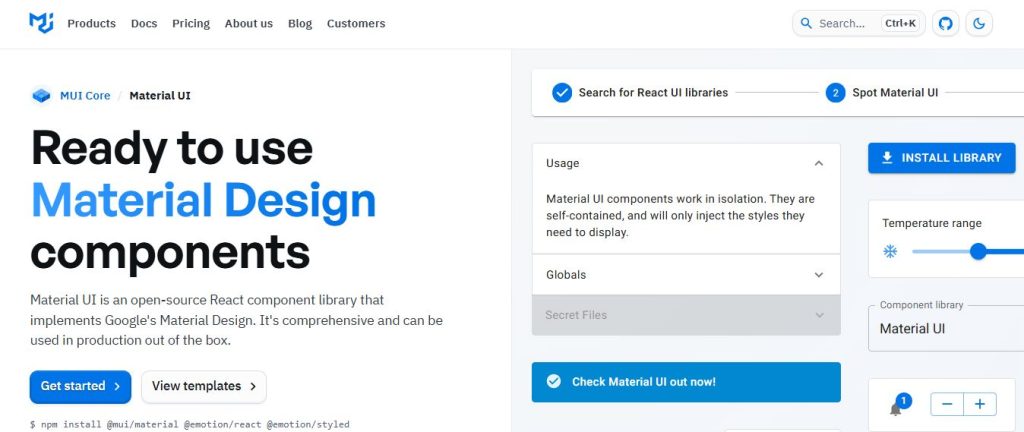
Installation is straightforward, simply upload the kit package, activate the accompanying plugin, and you’ll have full control over colors, typography, and spacing via the WordPress Customizer. The kit’s modular structure lets you include only the components you need, keeping your site lean and performant.
Core Components
The Material UI Kit offers a comprehensive suite of interface elements: responsive grids, app bars, floating action buttons, material icons, snackbars, dialogs, and more. Each component is designed to adhere to Material Design guidelines, ensuring a familiar experience for users who’ve encountered Android apps or Google web services.
Components are built with clean HTML, CSS variables, and optional JavaScript enhancements for ripple effects and dynamic behaviors. Because the kit leverages the WordPress Customizer, you can adjust theme colors, font families, and spacing scales globally, as recommended by an SEO expert. Any changes you make will automatically propagate across all components. This unified approach eliminates style drift and simplifies maintenance.
Why is it Creative?
Material Design’s trademark elevation, motion, and layering principles lend a dynamic and intuitive feel to any site that implements them correctly. With the Material UI Kit, designers can experiment with depth and transitions without writing a single line of code. The rich set of prebuilt patterns, cards with image overlays, animated progress spinners, and collapsible sections, encourages inventive layouts that guide users through your content.
Additionally, the kit’s theming engine supports custom color palettes and typography scales, empowering non-designers to apply brand guidelines with confidence. You can create entirely new looks, perhaps a muted corporate palette or a high-contrast dark theme, while still preserving the integrity of each component’s interactive behavior.
Best For
Material UI Kit shines when you want a battle-tested design language that feels familiar yet customizable. Marketing teams launching product pages, SaaS startups showcasing dashboards, and blogs aiming for a modern aesthetic will all benefit from its cohesive framework.
If your priority is rapid prototyping with a polished, professional look, and you value strict adherence to accessibility and responsiveness standards, this kit is a top contender among UI kits for WordPress.
2. Astra Starter Templates (The Lightweight Starter Pack)
Astra Starter Templates isn’t a traditional “UI kit,” but its library of predesigned page templates and block patterns functions like one. Built to work seamlessly with the Astra theme, these starter packs provide ready-to-use sections for headers, footers, hero areas, and more.
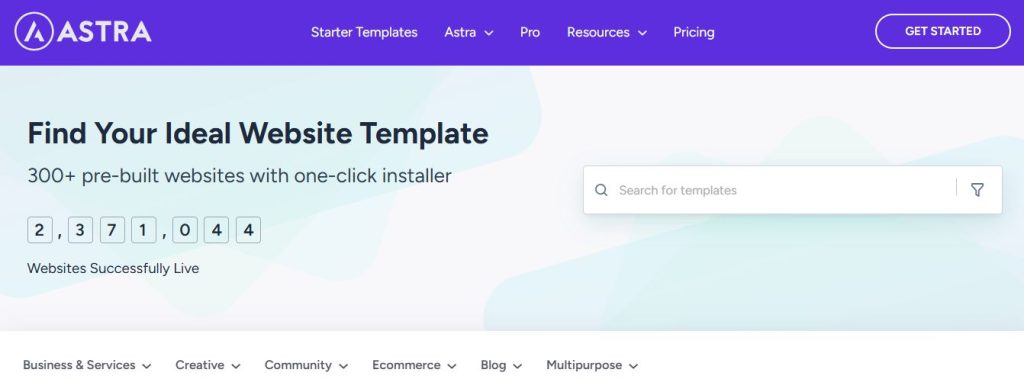
The magic happens in the import process: with a single click, you can pull in entire homepages, about sections, or service blocks, then mix and match components across templates. This approach drastically cuts down design time while preserving the flexibility to tweak colors, fonts, and layout settings in the WordPress editor or your favorite page builder.
Core Components
Astra Starter Templates include over 200 pixel-perfect page designs covering niches like business, e-commerce, portfolios, blogs, and landing pages. Each template is built with Gutenberg blocks or popular builders such as Elementor and Beaver Builder, ensuring compatibility with your preferred workflow.
Beyond full-page layouts, you also get a set of block-level patterns, call-to-action sections, feature grids, testimonial carousels, and pricing tables. These building blocks can be inserted into any page or post, allowing you to construct custom pages by assembling patterns rather than starting from scratch.
Why is it Creative?
Astra’s low-code approach unleashes creativity by removing repetitive tasks from the design process. You only need to focus on swapping placeholder content with real text and images, then fine-tuning colors and typography. Because the templates adhere to the Astra theme’s performance-first ethos, you don’t sacrifice speed or Core Web Vitals in pursuit of a stunning design.
Moreover, seeing a broad array of design examples side by side sparks ideas you might never have considered. You can borrow hero layouts from an e-commerce template, pair them with a blog’s typography, and finish with a sleek portfolio’s gallery style, all while maintaining visual harmony.
Best For
Freelancers, solopreneurs, and agencies who need to launch sites quickly without reinventing the wheel will appreciate Astra Starter Templates. It’s one of the most accessible UI kits for WordPress, enabling non-developers to craft professional websites with minimal effort.
If you regularly spin up client projects or A/B test landing pages, this lightweight starter pack offers the perfect balance between guided design and creative freedom.
3. Neve UI Kit (The Featherweight Kit)
Neve UI Kit is part of the Neve theme ecosystem, offering a set of custom blocks, header/footer builders, and design presets. Its hallmark is performance: the kit is stripped of any nonessential code, ensuring your site stays lightning-fast.
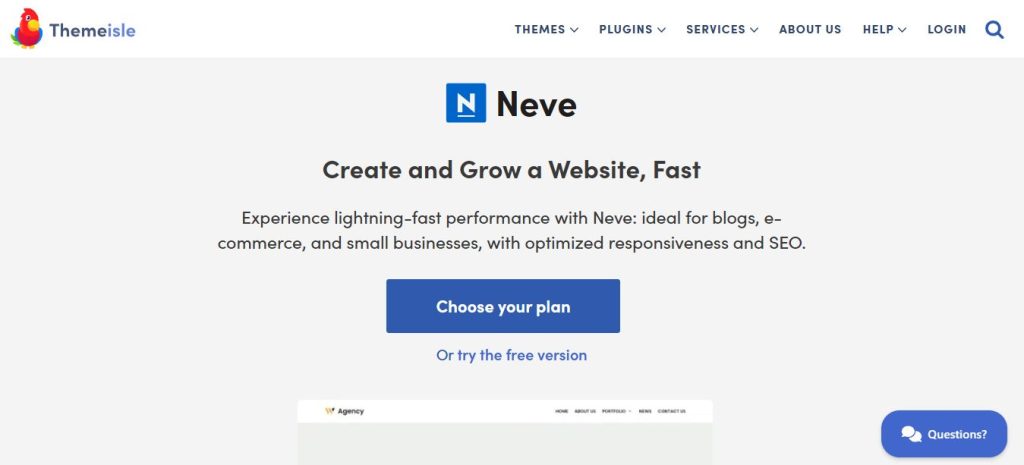
Implementation involves installing the Neve theme plus the Neve Boost plugin, then selecting from UI presets in the Customizer. You get kits for agency sites, portfolios, blogs, and small businesses, all optimized for mobile and SEO.
Core Components
Neve UI Kit provides header and footer builders with drag-and-drop controls, custom block patterns for Gutenberg, and global color/typography controls. The block patterns cover common sections: hero banners with overlay text, feature grids, team member profiles, and compact testimonial sliders.
Unlike monolithic kits, Neve’s components are decoupled: you activate only the blocks you need, which keeps page weight under control. Each component is built with minimal JavaScript, relying on CSS variables for theming and ensuring near-instant render times on both mobile and desktop.
Why is it Creative?
With Neve UI Kit, creativity comes from lightweight flexibility. You’re not boxed into a heavy design system; instead, you have a curated toolbox you can mix and match. Designers who love experimenting with white space, asymmetrical layouts, or bold typography will find that the kit’s modular nature encourages unique compositions.
Since the kit integrates seamlessly with the WordPress Customizer, you can preview every change live, adjusting heading styles, toggling shadows, or swapping accent colors in real time. This live feedback loop accelerates experimentation and reduces back-and-forth between design drafts.
Best For
If site performance and SEO are nonnegotiable, Neve UI Kit is a standout. It’s perfect for bloggers, content creators, and agencies building brochure sites or simple e-commerce stores who don’t want a heavy theme or bloated page builder slowing them down.
Neve’s minimalist approach proves that creativity doesn’t require complexity, sometimes less truly is more.
4. Kadence Blocks UI Kit (The Modular Builder)
Kadence Blocks UI Kit extends Gutenberg’s core capabilities with a library of advanced blocks and layout packs. Think of it as a hybrid between a traditional UI kit and a page builder, offering granular control over every design element.
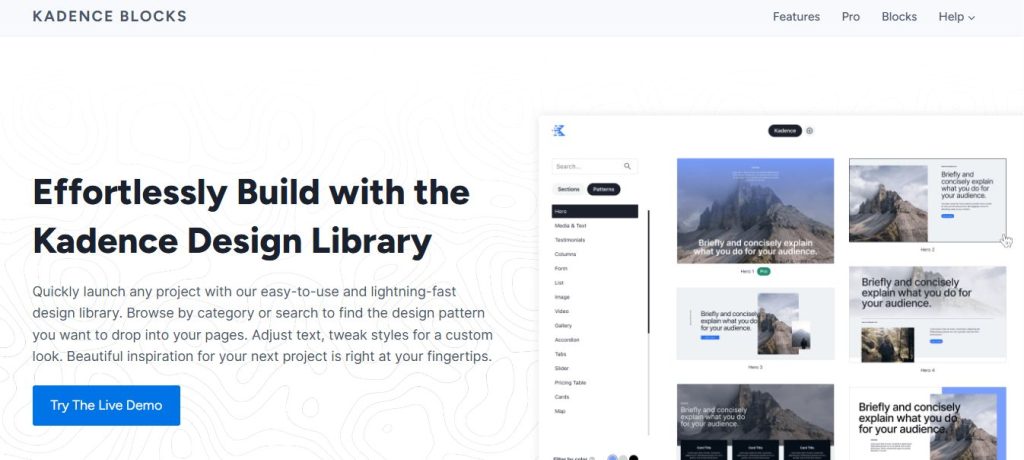
Once you install the Kadence Blocks plugin, you unlock custom row layouts, advanced galleries, accordions, tabs, and more. The kit comes with prebuilt starter packs you can import in one click, then customize extensively in the block editor.
Core Components
The Kadence Blocks UI Kit includes container blocks for flexible layouts, advanced heading and button blocks, info boxes, icon lists, testimonials, and post-grid blocks. You also get header/footer builders with conditional display logic, allowing you to show different layouts based on user role or device type.
Each block offers style panels for margin, padding, typography, and color, in effect turning Gutenberg into a robust design canvas. Kadence’s use of React under the hood ensures blocks render quickly without the bloat typically associated with heavyweight builders.
Why is it Creative?
Designers who crave fine-tuned control will love Kadence Blocks UI Kit. You can craft nested grid layouts with variable column widths, overlay text on images with precise positioning, and animate elements on scroll, all without writing custom CSS.
The kit’s starter packs serve as inspiration, showcasing creative ways to combine blocks for pricing pages, service showcases, blog archives, and more. Because Kadence Blocks is open-ended, you’re free to push boundaries and invent entirely new layouts that set your site apart.
Best For
Agencies and designers building complex marketing sites, SaaS dashboards, or membership portals will find Kadence Blocks ideal. It bridges the gap between full-blown page builders and simple UI kits, giving you advanced features without sacrificing performance.
If you need complete creative freedom within the native WordPress editor, this UI kit for WordPress deserves a close look.
5. OceanWP Demo Kits (The Versatile Theme Companion)
OceanWP Demo Kits are a collection of professionally designed site demos that function like a UI kit. Each demo package includes header, footer, page layouts, and theme settings configured for specific niches, e-commerce, agency, blog, and portfolio.
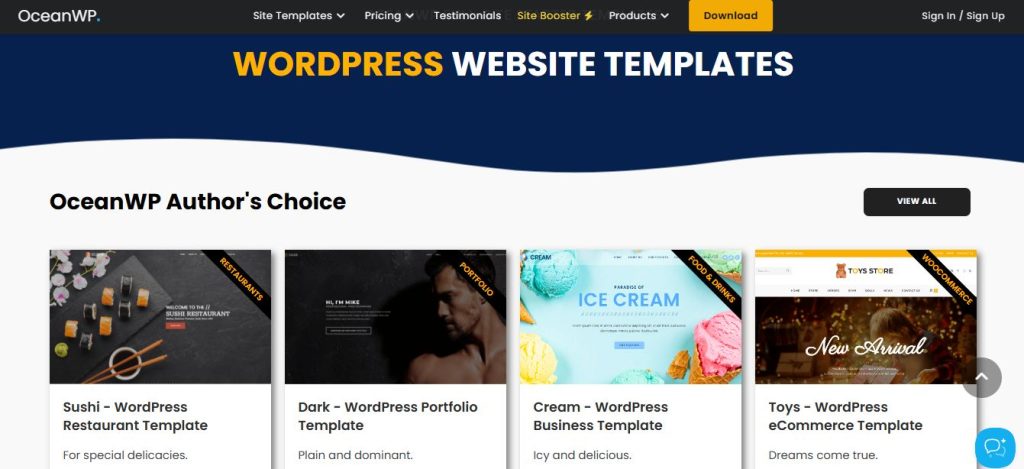
To use them, install OceanWP theme and its companion plugin, then browse the demo library. With one click, you import the entire site structure, including menus, widgets, and content. From there, you can replace demo assets with your own and tweak styles in the Customizer.
Core Components
OceanWP Demo Kits include full-page layouts, customized WooCommerce product pages, mega menus, sticky headers, and pop-up integration with newsletter services. The theme’s hooks and filters allow deeper customization for developers, while non-technical users can rely on the demo settings panel.
Each demo is built with performance in mind: scripts are loaded selectively, assets are optimized, and global theme options let you disable features you don’t need, keeping your site lean and fast-loading.
Why is it Creative?
By leveraging thoughtfully crafted demo sites, you gain a springboard for experimentation. You can mix sections from different demos, import only the blocks you need, and layer custom backgrounds or micro-interactions. The result is a bespoke site that still benefits from professional design patterns.
OceanWP’s robust ecosystem, extensions for sticky elements, custom side panels, and modal pop-ups, lets you augment the demo kits with advanced functionality. This flexibility opens up endless creative possibilities without requiring a ground-up build.
Best For
Developers and agencies who manage multiple client projects will appreciate OceanWP Demo Kits for their versatility. You get a turnkey starting point for virtually any industry, from online stores to personal blogs, and you retain full control over customization.
If you want a proven design foundation that you can adapt rapidly, this UI kit for WordPress is a dependable choice.
Comparison Table: Choosing Your UI Kit
| UI Kit | Best For | Primary Vibe | Integration Type | Standout Feature |
| 1. Material UI Kit | SaaS & Startups | Professional & Familiar | Theme/Plugin Hybrid | Logic-based Design: Adheres strictly to Google’s elevation and motion principles. |
| 2. Astra Starter Templates | Freelancers & Rapid Launch | Speed & Convenience | Astra Theme + Block Editor | The “Mix-and-Match”: Import specific sections from 200+ niches into any page. |
| 3. Neve UI Kit | SEO & Performance | Minimal & Clean | Neve Theme Ecosystem | Featherweight Code: Stripped of nonessential JS for elite Core Web Vitals. |
| 4. Kadence Blocks UI Kit | Complex Marketing Sites | Granular Control | Gutenberg Extension | Conditional Logic: Show different headers/footers based on user roles or devices. |
| 5. OceanWP Demo Kits | E-commerce & Multi-Client | Versatile & Robust | OceanWP Theme + Hooks | Deep WooCommerce: Pre-configured product pages and sticky cart features. |
Conclusion: Elevate Your WordPress Design with UI Kits
UI kits for WordPress empower you to bridge the gap between rapid development and standout design. By leveraging prebuilt components and templates, you can maintain brand consistency, boost user engagement, and speed up project delivery, all without sacrificing performance.
Whether you choose a lightweight starter pack like Astra, a modular builder such as Kadence, or a full-blown design system like Material UI Kit, each solution offers unique advantages. Experiment with the options above to discover which aligns best with your workflow and creative vision.
Frequently Asked Questions (FAQs)
<!– wp:yoast/faq-block {"questions":[{"id":"faq-question-1773204973746","question":"1. u003cstrongu003eWill a UI kit for WordPress slow down my site?u003c/strongu003e","answer":"Not if you choose wisely. Top UI kits are optimized for performance, letting you enable only the components you need. Many use CSS variables and minimal JavaScript to keep page weights low and ensure fast load times.","jsonQuestion":"1. u003cstrongu003eWill a UI kit for WordPress slow down my site?u003c/strongu003e","jsonAnswer":"Not if you choose wisely. Top UI kits are optimized for performance, letting you enable only the components you need. Many use CSS variables and minimal JavaScript to keep page weights low and ensure fast load times.","images":[]},{"id":"faq-question-1773204994120","question":"2. u003cstrongu003eCan I customize the components in a UI kit to match my brand?u003c/strongu003e","answer":"Absolutely. Most UI kits integrate with the WordPress Customizer or your theme’s settings panel, allowing you to adjust colors, typography, spacing, and more. Some kits even support custom CSS variables for deep theming control.”,”jsonQuestion”:”2. u003cstrongu003eCan I customize the components in a UI kit to match my brand?u003c/strongu003e”,”jsonAnswer”:”Absolutely. Most UI kits integrate with the WordPress Customizer or your theme’s settings panel, allowing you to adjust colors, typography, spacing, and more. Some kits even support custom CSS variables for deep theming control.”,”images”:[]}]} –>Not if you choose wisely. Top UI kits are optimized for performance, letting you enable only the components you need. Many use CSS variables and minimal JavaScript to keep page weights low and ensure fast load times.
Absolutely. Most UI kits integrate with the WordPress Customizer or your theme’s settings panel, allowing you to adjust colors, typography, spacing, and more. Some kits even support custom CSS variables for deep theming control.