

Three of the most popular no-code, beginner-friendly website builders are Design.com, Wix, and Squarespace.
All three promise to help someone with little to no web design experience build a professional website. However, they approach the process differently: Design.com‘s AI focuses on giving you relevant designs based on your business, Wix combines guided website creation with a huge ecosystem of apps and integrations, while Squarespace puts its long-standing emphasis on visual design into its AI experience.
So, which one should you use? Let’s compare them.
Design.com vs. Wix vs. Squarespace at a Glance
| Design.com | Wix | Squarespace | |
| Best for | Finding relevant designs that needs little to no editing | Websites that can grow with your business | Stylish, modern websites |
| How the AI works | Enter a prompt, then browse hundreds to thousands of relevant designs | Answer questions, then Aria creates one website you can continue refining | Answer a step-by-step questionnaire, then Blueprint AI builds your website |
| Design relevance | Strong; considers your business, industry, keywords, and brand personality then gives you lots of relevant results | Good; based on the business details and preferences you provide | Good; based on the business and design choices gathered during setup |
| Design quality | Professional, with lots of styles across different industries | Professional and practical, though designs can feel conventional | Stylish, modern, and more visually distinctive |
| Editing | Visual editor; easier if you choose a design that already fits | Visual editor + ongoing help from Aria | Visual editor with plenty of control over the layout |
| Adding features later | Covers common small-business website needs | Strongest; large selection of apps and business features | Covers most common business needs |
| Beyond the website | Logos, social graphics, ads, business cards, email signatures, and more | Marketing, ecommerce, and customer-management tools | Email, ecommerce, scheduling, and marketing tools |
Which Has the Best AI Website Creation Process?
Design.com, Wix, and Squarespace all use AI to reduce the amount of work involved in creating a website. The biggest difference is what they expect from you and what they give you in return.
Design.com
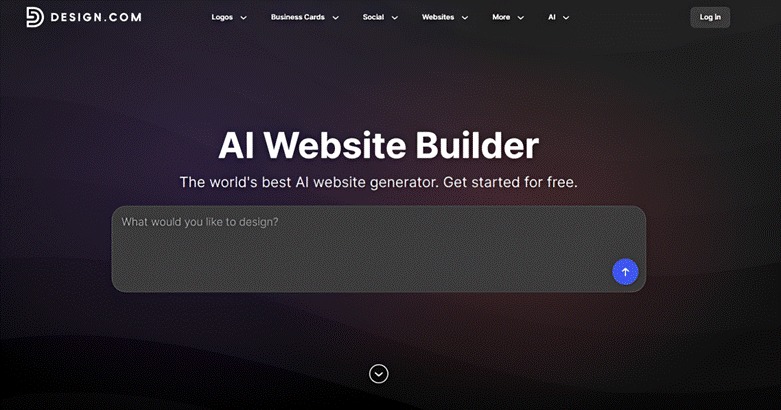
Design.com’s AI website builder has a straightforward process. Users enter their prompt, which should ideally have their business name and keywords. You can be as detailed or as broad as you want with your prompt. The AI will then use this info to generate hundreds to thousands of relevant designs for you to choose from.
This is useful if you know what your business is but don’t know exactly what its website should look like. You can browse through different directions, look through different possibilities, and choose the one that feels right for you.
Wix
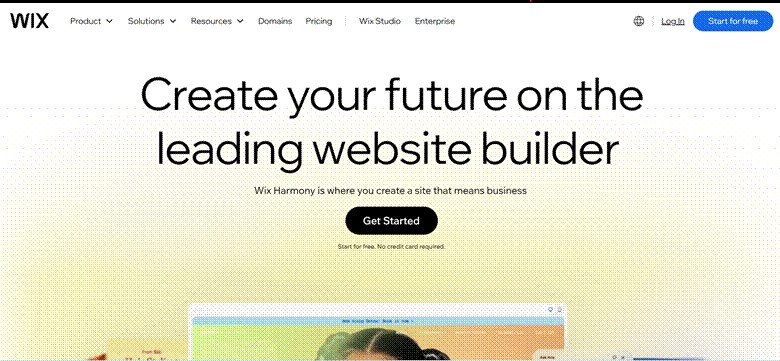
Wix takes a more conversational approach through Wix Harmony and its AI agent, Aria. You answer questions from the AI such as details about your business, preferred colors, style, and other requirements. Aria then generates one complete website that best matches your answers.
Once the website appears, however, the AI doesn’t go away. You can keep asking Aria to change it. For example, you could ask it to add another section, rewrite some of the text, or generate new images.
This makes Wix useful if you prefer to start with one website and gradually improve it rather than look through hundreds of finished options.
Squarespace
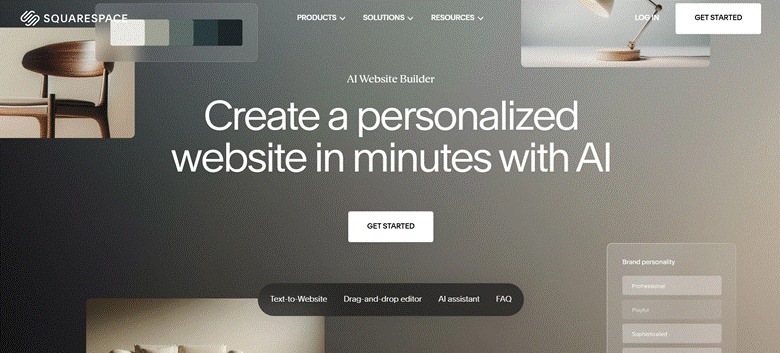
Squarespace’s Blueprint AI Builder gives you a step by step questionnaire. You answer what your website/business is about, what you want visitors to do, the pages and sections you need, and so on.
Once you’ve gone through those choices, Blueprint AI creates the website, including starter copy, images, and layouts. You can then change everything in Squarespace’s editor.
So instead of writing one detailed prompt, you’re making smaller decisions one at a time.
That makes Squarespace useful for beginners who want some control over the design but would rather make simple choices than explain everything in a long prompt.
Verdict: All three processes are easy enough for beginners, but they suit different people. Design.com is best if you want to see lots of possibilities before choosing. Wix is better if you want to just deal with one website design. Squarespace is useful if you’d rather make design choices step by step.
Which Is Best for Finding a Design That Fits Your Business?
A beautiful website doesn’t necessarily mean it’s the right website.
Relevance is the most important factor. Does it suit your industry, market positioning, and target audience? Does it feel like your brand? Does it encapsulate your brand personality?
These three tools have different takes on it.
Design.com
This is probably Design.com’s biggest strength.
Design.com’s AI considers not just your business name or keyword but also your industry and overall brand personality to generate designs. This means your starting point is something tailored and specific, rather than just a generic template that meets one aspect of your brand.
This means even niche businesses like vegan dessert shops, handcrafted candle makers, or specialty cleaning services can find suitable designs, instead of settling for a broad template and having to edit that to fit your needs.
Wix
Wix also uses the information you provide to create a website that fits your business. This means the result is close to your needs and preference.
The main difference is that Wix gives you one generated website to work with. This works well if the initial website is already close to what you want. However, you don’t get the same breadth of choices as Design.com, where you can compare hundreds or thousands of different yet relevant designs before deciding which direction suits your brand best.
If something doesn’t feel right, you can ask Aria to change specific parts of it, regenerate content, or make the edits yourself. However it does mean having to wait for Aria to redesign just to see options.
Squarespace
Squarespace also produces relevant layouts because of the information Blueprint AI gathers during setup. Since it already knows what your business does, what you want visitors to do, and your preferred look, it can use those details to create a website that suits your needs.
However, Squarespace only produces one website (or three if you go through the Blueprint AI templates). It’s lesser options than Design.com. Most of the result is also dependent on your initial choices in the questionnaire. If you want the AI to surprise you or see a take of what a website could look like in a style you haven’t thought about, you won’t really get that here. For some it may be an issue, but some users might prefer this level of control on the result.
Verdict: Design.com wins this round. All three use information about your business to create more relevant results, but Design.com gives you far more of those relevant results to compare.
Which Has the Best-Looking Website Designs?
Relevance is important but it isn’t everything. Sometimes your biggest priority is simply creating a website that looks impressive.
All three builders can do that, but they approach design differently.
Design.com
Design.com’s website designs span a wide range of industries and visual styles.
That’s useful because a “good-looking” website doesn’t mean the same thing for every business. A children’s brand might need something playful and colorful, while an accounting firm may need something restrained and professional.
Design.com’s strength is giving you enough variety to find a polished and creative design without losing sight of what makes sense for the business itself.
Wix
Wix websites generally look good. Its designs are clean, professional, and cover a wide range of industries, so it’s not difficult to find something that looks suitable for a typical business website.
The downside is that many of the designs can feel fairly conventional. You’ll see familiar layouts with large hero sections, service blocks, testimonials, galleries, and calls to action. There’s nothing necessarily wrong with that, especially for a business that simply needs a professional website that customers can easily understand.
But if you’re looking for something more visually distinctive, other platforms might be better.
Squarespace
Squarespace has the edge when it comes to visual polish. Its designs are stylish, trendy, and modern.
This is particularly useful for businesses where the website needs to make a strong visual impression. Fashion brands, cosmetics companies, photographers, interior designers, restaurants, and lifestyle creators should find plenty of suitable options.
Verdict: Squarespace. Design.com does a good job balancing quality with business relevance while Wix gives you solid and practical designs. But if we’re judging purely on stylishness, Squarespace stands out.
Which Is Easiest for Beginners to Edit?
All three have visual editors, so you don’t need to know how to code. The main difference is how much editing you need to do and how much help you get while doing it.
Design.com
Design.com can make editing easier simply because you have more opportunities to find the right starting point.
If you’ve already chosen a design with the layout, style, and overall look you want, most of the remaining work is personalization. You can add your own text and images, change colors and fonts, and adjust the sections you need. This can be done through a simple drag-and-drop editor, so everything remains easy and straightforward.
This is particularly helpful if you don’t have much design experience. Rather than taking an okay template and trying to redesign it, you can spend more time finding one that’s already close to what you want.
Wix
Wix gives you more help when you actually start making changes.
You can edit the website manually, but you can also ask Aria to do things for you. If you want to add a section, rewrite some copy, change an image, or adjust part of the design, you can describe what you want instead of finding the relevant controls yourself. This is useful if you know what you want to change but don’t know how to do it.
Squarespace
Squarespace’s Fluid Engine lets you move and resize elements directly on the page. You can also change your fonts, colors, images, sections, and other parts of the website without touching code.
Its editor gives you enough control to personalize the design without requiring you to build everything yourself.
Squarespace is also relatively forgiving if you’re not a designer. Because you’re starting with professionally designed layouts and site-wide styles, you can make fairly simple changes while keeping the website looking consistent.
Verdict: Design.com gets the edge because finding a more relevant starting design can reduce how much editing is necessary in the first place.
Which Is Best for Adding More Features Later?
You may only need a simple website now, but what if you want to sell products, have your audience sign up for memberships, or have a live chat?
This is how the three tools handle expansion:
Design.com
Design.com covers the essentials most small business websites need.
You can add things such as contact forms and online payments, connect your own domain, and build additional pages as the website grows.
That should be enough if your website is mainly there to explain what your business does, attract customers, collect enquiries, or sell straightforward products and services.
However, Design.com doesn’t have the same range of add-ons as Wix. If you already know that your website will eventually need lots of specialized or highly technical functions, other tools might be better.
Wix
Wix App Market lets you add extra functions without rebuilding the website. These include tools for bookings, ecommerce, live chat, events, restaurants, forms, marketing, customer management, and many other uses.
This is useful because you don’t necessarily know what your business will need when you’re building its first website. Wix lets you add those features when you need them rather than setting everything up from the beginning.
Squarespace
Squarespace also covers many of the features a small business is likely to need.
You can sell products and services, take appointments, offer memberships, run email campaigns, and add other business functions.
For many businesses, that’s enough. A photographer who wants clients to book sessions or a retailer that wants to sell products online doesn’t necessarily need hundreds of integrations. But if you think you would eventually need to add on more features, other tools might be better.
Verdict: Wix wins this round. Design.com and Squarespace cover the common features most small businesses need, but Wix gives you more options if your website becomes more complicated later.
Which Is Best for Building a Brand Beyond Your Website?
Your website is only one place where customers will see your business. You’ll probably also need social media graphics, ads, emails, business cards, and other materials.
Keeping those materials visually consistent helps people recognize your business wherever they encounter it.
Here’s how the three tools handle this:
Design.com
This is one of Design.com’s biggest advantages.
The website builder sits alongside Design.com’s other design tools. You can use their Brand Kit feature to create logos, Facebook ads, Instagram posts, YouTube channel banners, business cards, email signature, flyers, or presentations that match your website design.
This means you can establish a visual direction for the business and use it beyond the website. That’s especially useful for a new business. You’re likely creating many of these materials for the first time, so having them in the same place makes it easier to keep everything looking like the same brand.
Wix
Wix also gives you tools for marketing the business, but they’re more closely tied to running the website.
You can use Wix for email marketing, social posts, customer management, ecommerce, and other marketing tasks. Since these tools connect to your website, you can manage a lot of the business from the same platform.
That makes Wix useful if you want the website to be the center of your online business, particularly if you’re also selling products or managing customers through it.
It isn’t as focused on creating a wide range of standalone branded materials as Design.com, though.
Squarespace
Squarespace also lets you take the website beyond its pages.
Its tools cover areas such as email campaigns, ecommerce, scheduling, and social content, so you can use the platform for more than simply publishing a site.
The benefit is strongest if most of your marketing happens online. You can keep the website at the center and use Squarespace’s other tools around it.
But if you also need things such as business cards, letterheads, presentations, ads, and a wider range of design assets, Design.com gives you more to work with.
Verdict: Design.com wins this round. Wix and Squarespace both give you useful marketing tools connected to your website, but Design.com covers more of the actual materials a business needs outside of its website such as logo maker or social media tools.
Final Verdict: Which AI Website Builder Is Best for Beginners?
There isn’t a bad choice among the three.
Squarespace is particularly appealing if design is your priority. Its combination of Blueprint AI and its established design system makes it easier for beginners to create the kind of modern, polished website that visually driven businesses often need.
Wix makes the most sense if flexibility is the bigger concern. You can create a straightforward website now and add considerably more functionality later through its large app ecosystem, without having to know everything your business will eventually need on day one.
But for beginners overall, we’d put Design.com in first place.
The reason comes down to one of the most frustrating parts of building your first website: figuring out how to make a generic starting point actually feel relevant to your business.
Design.com tackles that problem early. Its AI and large selection of industry-focused designs make it easier to browse options that already make sense for what you do, including more specific business categories. That means you’re less likely to spend hours transforming an unrelated template before you even get to the finer details.
And your website is only the beginning. Once you start promoting the business, you’ll need other materials that carry the same identity. Having your logo, website, social content, business cards, email signatures, ads, and other designs within the same wider ecosystem makes that consistency much easier to maintain.
For a beginner, that’s a particularly useful combination: start with a website that already feels relevant, spend less time trying to fix the design, and then use that identity as the foundation for the rest of your brand.
FAQ
Yes. Design.com, Wix, and Squarespace all let you create and edit a website without coding. Their AI tools can help create the initial design, while their visual editors let you change text, images, colors, layouts, and other elements afterward.
Yes. All three builders let you edit the website after the AI creates it. Design.com has a visual editor for personalizing your chosen design, Wix lets you edit manually or continue asking Aria to make changes, and Squarespace lets you customize the generated site using its visual editor.
Look at how well the builder can match your industry and brand, how many designs you can choose from, how much editing you’ll need to do, and whether it can support the other materials your business needs.