

Low-code development platforms are now the primary software-building layer between a business’s applications. They started as workflow automation tools — simple connectors that triggered actions between apps. In 2026, they are full development environments where teams design, build, and deploy production software: integration workflows, internal business applications, data pipelines, and AI-assisted automation. The business case is straightforward. Every SaaS application a company runs that does not connect to the others creates a gap — an island of data that costs productivity and creates operational overhead. These platforms close that gap, and they do it without requiring a software development team to write the integration layer from scratch.
The scale of the problem they’re solving is larger than most teams realise. According to MuleSoft’s 2025 Connectivity Benchmark Report, the average enterprise runs 897 applications — yet only 29% of them are integrated. The remaining 71% sit disconnected, generating data that never flows to where it’s needed. In 2026, that gap has become a direct barrier to AI adoption: 95% of IT leaders now identify integration failures, not algorithms or compute power, as the primary obstacle to rolling out AI tools that actually work. Low-code integration platforms exist to close that gap without adding an engineering team.
In 2026, these tools have evolved beyond their “automation helper” origins. Each of the five platforms below is, by any accurate definition, a low-code development platform — an environment where teams build, test, version, and deploy application logic that runs in production. Gartner estimates that citizen developers now outnumber professional developers 4:1 in low-code tool usage. That is not a footnote about a niche; it is the primary mode of enterprise software development right now.
The promise of these innovative platforms lies in their ability to connect SaaS tools without the need for extensive coding expertise. By leveraging the power of low-code development, companies can swiftly build and deploy integrations, saving valuable time and resources. As we venture into 2026, it’s crucial to know which platforms stand out, offering the best internal tool-building capabilities. Let’s dive into the top five low-code integration platforms that will redefine how you sync your entire SaaS ecosystem, making your business more agile and efficient than ever before.
What is Low-Code Development? (The 2026 Definition)
Low-code development refers to a method of building software and automations using visual interfaces, drag-and-drop components, prebuilt templates, and graphical workflow designers. In 2026, this concept has matured beyond mere convenience tools for “citizen developers.” It now embraces “Agentic Orchestration,” where AI-powered agents collaborate with human logic. These platforms still rely on intuitive visuals for the 90% of routine tasks, but they also offer a “code escape hatch” for custom JavaScript or Python. This hybrid approach ensures you never lose the power of extensibility or control.
By adopting low-code, organizations can dramatically reduce the time to market for new integrations. This is especially helpful in industries like healthcare, where ABA billing AI software depends on automated workflows and data syncing to simplify complex tasks. They eliminate the overhead of traditional software projects, long sprints, extensive QA cycles, and heavyweight deployments. Instead, teams focus on high-value logic that can’t be fully abstracted by AI. This answers the critical question of what is low code development: it’s the sweet spot where no-code speed meets real code flexibility. In doing so, today’s Low Code Integration Platforms empower technical and non-technical users alike to build robust workflows without writing thousands of lines of boilerplate code.
Low-Code vs. No-Code (Defining the Spectrum)
At one end of the spectrum sits No-Code: an all-visual environment optimized for non-technical admins building simple landing pages, email automations, or CRM forms. Modern low-code development platforms also connect to databases like MySQL, MariaDB, Microsoft SQL Server (MSSQL), and MongoDB at the application layer — enabling real-time data synchronisation, scalable workflows, and centralized application management without writing database integration code from scratch. It’s ideal when you need quick, linear flows and don’t expect to hit a complexity ceiling. The downside? You run out of options the moment you require a specific API call or advanced error handling. That’s where Low-Code Integration Platforms step in as the “Smart Admin” solution, blending no-code ease with a custom code “escape hatch.”
This spectrum allows teams to choose the right balance of speed and extensibility. For routine tasks, email notifications, lead scoring, and data syncing, pure no-code suffices. But for anything beyond trivial logic, low-code reigns. It brings the best of both worlds: drag-and-drop speed for 90% of the workflow and the ability to drop into a JavaScript or Python snippet for that final 10% of complex logic. In 2026, choosing between low-code and no-code is not a binary choice but a strategic decision about scalability, maintainability, and long-term platform governance.
Low-Code as a Development Platform: What That Actually Means?
The phrase “integration platform” undersells what these tools are in 2026. Each of the five platforms reviewed in this article is more accurately a low-code development environment — a place where teams design, build, test, and deploy software that runs in production at scale. The integration capability is the output. The development platform is how you get there.
What distinguishes a development platform from a simple automation tool is depth. A shallow automation tool connects two apps with a trigger and an action. A development platform gives you a code editor, conditional branching, error-handling logic, retry policies, version control, testing environments, and a deployment pipeline. All five platforms below provide the latter, at different levels of technical depth.
Application development scope matters. Zapier builds production workflows that run for millions of users at companies like Vendasta. Make builds complex multi-branch logic that replaces custom-coded scripts. n8n runs production AI agents on enterprise infrastructure. Pipedream processes billions of events per month for 2,500+ enterprises. Retool powers internal applications that teams use daily to run their entire operational layer. These are not prototype tools. They are software development platforms that happen to reduce the amount of code a developer needs to write.
The 2026 shift worth understanding: Gartner projected that 70% of new enterprise applications would be built using low-code or no-code technologies. That projection is now confirmed in practice. When the majority of new business software is built on development platforms like these five, the question is no longer whether low-code is “real” software development. The question is which low-code development platform fits the application you are building.
For the Smart Admin evaluating these tools: the platform you choose is also the development environment your team will work in, debug in, and maintain in. Treat the selection the same way a CTO would treat choosing a backend framework. The interface may be visual, but the decisions are architectural.
Programming Capabilities: What Each Platform Lets You Code?
Every platform in this review offers custom coding and scripting options. The difference is where in the development workflow that code lives, and how much of a programmer you need to be to use it.
Zapier: JavaScript and Python via Code by Zapier. Zapier’s Code step accepts JavaScript or Python and runs it as a native workflow action. The output becomes a variable that feeds into the next Zap step exactly like any other app connector’s response. For teams that hit the limits of Zapier’s formula functions, this is the escape hatch — write a custom JavaScript function to reshape data, calculate a value, or call an API endpoint not yet in Zapier’s library. No deployment required. The code runs server-side on Zapier’s infrastructure.
Make: Custom modules with JSON schema and formula functions. Make lets developers define new API integrations by specifying an authentication model and endpoint schema in a structured JSON format — effectively programming a new “app connector” without building a full SaaS integration. Inside workflows, Make’s formula language supports string manipulation, date arithmetic, conditional expressions, and array processing. It is not Python. It is sufficient for the data transformation work that most integration programming requires.
n8n: Native JavaScript and Python with npm access. n8n’s Code node accepts JavaScript or Python and allows import of any npm package — full Node.js library access inside a workflow step. This is the most capable scripting environment in this comparison. Teams build custom data transformation pipelines, call internal APIs not available through n8n’s 400+ connectors, and implement complex conditional logic that would otherwise require a backend microservice. The self-hosted option means the code runs in your own environment, under your own security policies.
Pipedream: TypeScript, npm packages, and a code editor. Pipedream is the most developer-native tool in this review. Every step in a Pipedream workflow is a code component — written in TypeScript or JavaScript, versioned in Pipedream’s source control, and debuggable in Pipedream’s browser-based code editor with inline logs. Developers import npm packages, chain async functions, and build event-driven pipelines that process over four billion events per month in production. If you have JavaScript experience, Pipedream will feel like writing backend code with a very good scaffolding layer.
Retool: JavaScript, SQL, and React components. Every query in Retool is programmable. SQL queries pull from Postgres, Redshift, BigQuery, or any connected database. JavaScript transforms the results before displaying them. React components extend the UI beyond Retool’s built-in widget library. Variables pass data between components. Conditional logic controls which sections of a dashboard appear based on user role or query state. Retool’s scripting environment is less about automation and more about application programming — building internal tools that behave like custom software.
The practical upshot: every platform here supports custom code. The choice comes down to how central that code is to your workflow. In Zapier and Make, code is the fallback for edge cases. In n8n and Pipedream, code is the primary mode of operation for technical teams. In Retool, code is the query and logic layer that powers every application.
Code in Practice: Integration Scripts Across All Five Platforms
The descriptions above explain what each platform supports. The examples below show what the code actually looks like — so you can judge the learning curve and the complexity ceiling before committing to a platform.
Zapier: Normalising a Contact Record with JavaScript
Zapier’s Code by Zapier step accepts a JavaScript function. The inputData object contains values from previous steps in the Zap. This example takes a HubSpot contact response and reshapes it into the field structure Salesforce expects before the next step writes the record:
javascript
// Normalise HubSpot contact to Salesforce field schema
const contact = inputData.hubspot_contact;

const output = {
  FirstName: contact.firstname || '',
  LastName: contact.lastname || '',
  Email: contact.email,
  Phone: contact.phone || null,
  LeadSource: 'HubSpot Import',
  Description: 'Synced via Zapier on ' + new Date().toISOString().split('T')[0]
};

return output;
The return statement passes the reshaped object to the next step as a usable variable. No server configuration. No deployment step. The function runs on Zapier’s infrastructure on every trigger.
n8n: Grouping Records by Status Using a Node.js Library
n8n’s Code node supports JavaScript and allows import of npm packages. This script uses lodash — a common Node.js utility library — to group an incoming array of CRM records by their status field, then returns a summary for each group:
javascript
// Group incoming items by status field using lodash
const _ = require('lodash');

const items = $input.all().map(item => item.json);
const grouped = _.groupBy(items, 'status');

const summary = Object.entries(grouped).map(([status, records]) => ({
  status: status,
  count: records.length,
  record_ids: records.map(r => r.id)
}));

return summary.map(item => ({ json: item }));
The $input.all() function is n8n’s API for accessing all incoming workflow items. The _.groupBy call is lodash. This combination — n8n workflow context plus any npm library — is what makes n8n the most flexible scripting environment in this comparison.
Pipedream: Posting to a REST API with TypeScript
Every Pipedream workflow step is an async TypeScript function. The defineComponent wrapper is Pipedream’s standard step format. This step uses the platform’s built-in axios helper (which handles authentication context automatically) to POST a contact record to an external API:
typescript
import { axios } from '@pipedream/platform';

export default defineComponent({
  async run({ steps, $ }) {
    const contact = steps.trigger.event.body;

    const response = await axios($, {
      method: 'POST',
      url: 'https://api.crm.example.com/v1/contacts',
      headers: {
        'Authorization': `Bearer ${process.env.CRM_API_KEY}`,
        'Content-Type': 'application/json'
      },
      data: {
        email: contact.email,
        name: contact.first_name + ' ' + contact.last_name,
        source: 'pipedream_workflow'
      }
    });

    return response.data;
  }
});
process.env.CRM_API_KEY references an environment variable set in Pipedream’s secure credentials store. The steps.trigger.event.body variable accesses the incoming webhook payload from the previous step.
Retool: A Parameterised SQL Query Wired to a Form Input
Retool queries are named SQL statements. Any dashboard component can reference them using the query’s name. This query pulls active subscriptions above a revenue threshold that the user sets in a number input field (input_threshold). The {{ }} syntax is Retool’s template expression for injecting component values into queries:
sql
-- Query name: get_active_subscriptions
SELECT
  customer_id,
  customer_name,
  plan_name,
  monthly_value,
  DATE_DIFF(CURRENT_DATE, subscription_start, DAY) AS days_active
FROM subscriptions
WHERE
  status = 'active'
  AND monthly_value > {{ input_threshold.value }}
ORDER BY monthly_value DESC
LIMIT 100;
The query re-runs automatically when input_threshold.value changes. A table component bound to get_active_subscriptions.data displays the results. No backend code. No API layer. The SQL runs directly against your connected database.
Make: Calling an API with the HTTP Module (JSON Configuration)
Make does not have a native code editor in the same sense as n8n or Pipedream. Its equivalent is the HTTP module, configured as a structured JSON request. This example calls a webhook endpoint with a POST body constructed from data mapped from earlier modules in the scenario:
json
{
  "method": "POST",
  "url": "https://hooks.example.com/crm/update-contact",
  "headers": [
    {
      "name": "Authorization",
      "value": "Bearer {{1.api_token}}"
    },
    {
      "name": "Content-Type",
      "value": "application/json"
    }
  ],
  "body": {
    "contact_id": "{{2.id}}",
    "email": "{{2.email}}",
    "status": "{{3.status}}",
    "updated_at": "{{formatDate(now; 'YYYY-MM-DD')}}"
  }
}
The {{1.api_token}} notation references the output of Module 1. {{formatDate(now; 'YYYY-MM-DD')}} is Make’s formula function syntax. This is Make’s programming model — structured configuration with formula expressions, rather than a general-purpose scripting language.
Integration Types: From SaaS Automation to Data Pipelines
Not all integration work is the same, and the wrong development platform choice usually comes from not knowing which type of problem you’re actually solving — or which programming model fits your team’s skill set. Understanding the four core integration types helps clarify which of the five platforms below fits each scenario.
Workflow automation is what most people mean when they say “integration.” An event in one app triggers an action in another: a new form submission creates a CRM contact; a Slack message creates a task; a payment marks an order fulfilled. Zapier and Make dominate this category. The data moves between apps in real-time, but it isn’t stored or transformed in any persistent way — the trigger fires, the action runs, and the workflow is done.
Data synchronisation keeps records consistent across multiple systems. If a contact’s email address changes in your CRM, a sync tool updates it in your email platform, your analytics tool, and your billing system simultaneously. This is bidirectional, ongoing, and often scheduled at intervals. Unlike workflow automation, sync tools care about schema alignment — making sure fields from one system map correctly onto fields in another.
ETL and data pipelines are what enterprise data teams use to move information from operational systems into data warehouses and analytics layers. ETL stands for Extract, Transform, Load — pull data from the source, reshape it into the format the destination needs, then load it into a data lake or warehouse like Snowflake, BigQuery, or Amazon Redshift. The modern evolution is ELT (Extract, Load, Transform), where raw data lands in the cloud warehouse first and transformation happens there, taking advantage of the warehouse’s compute power. Ian Funnell, Data Engineering Advocate Lead at Matillion, put the business impact plainly in a 2025 interview: “When you remove technical barriers, marketing teams build attribution pipelines and finance teams create real-time dashboards. That’s the power of democratizing data engineering.” Of the five platforms below, n8n and Pipedream are best positioned for structured data pipeline work; Zapier and Make are automation-layer tools that can perform lightweight data movement but are not ETL platforms.
iPaaS (Integration Platform as a Service) combines all of the above into a managed cloud service. Rather than deploying individual connectors, an iPaaS platform centralises all integration logic — API management, data transformation, workflow orchestration, error handling, and governance — into one environment. iPaaS is the fastest-growing segment of the data integration market: Gartner estimates iPaaS revenue exceeded $9 billion in 2024 and Fortune Business Insights projects the market will reach $19.15 billion in 2026. The five platforms reviewed here all have iPaaS characteristics, but differ in where they sit on the spectrum from lightweight SaaS automation to full data orchestration.
The Top 5 Low-Code Integration Platforms of 2026
With so many options on the market, selecting the right low-code integration platform can feel overwhelming. Each tool brings its own strengths, unique features, and pricing models. Some excel at connecting SaaS tools with zero coding, while others empower developers with open source flexibility. In the following sections, we’ve distilled the leaders in low-code automation, platforms that shine in ease of use, extensibility, and AI-driven workflows.
Whether you’re searching for the universal connector that links thousands of apps, a visual logic master for complex processes, or a self-hosted solution for privacy-conscious teams, this list covers the best internal business apps and best internal tool builders available today. Read on to discover which platform aligns with your operational needs and growth plans as your organization scales in 2026.
1. Zapier (The Universal Connector)
Zapier continues to dominate the low-code integration platform arena with its vast library of over 8,500+ integrations. It positions itself as the universal connector, allowing businesses to link virtually any SaaS tool, CRM, email marketing, project management, and more, without writing a line of code. Its intuitive interface makes it a go-to choice for teams looking to automate repetitive tasks and free up valuable developer time.

Developer environment: Zapier is a visual workflow builder with a code escape hatch. The Code by Zapier step lets developers write JavaScript or Python that runs as a native workflow action — useful for custom data transformation, API calls to non-integrated endpoints, and conditional logic that exceeds the formula functions. The development workflow is browser-based: write, test, and deploy from the same interface, with no local environment required.
Data integration layer: Zapier’s strength is breadth over depth. Its 8,500+ connectors handle application-to-application data movement, but it is not an ETL tool — data passes through Zapier’s workflows rather than being stored or transformed in a warehouse-ready format. For teams that need data to move into a reporting layer, Zapier works best paired with a dedicated destination like Google Sheets, Airtable, or a cloud data warehouse via a native connector. A Vendasta case study illustrates what’s possible at the workflow level: by chaining Typeform, Clearbit, HubSpot, and Slack, Zapier saved the company 282 workdays per year and reclaimed $1M+ in pipeline revenue.
In 2026, Zapier has evolved to include AI-driven orchestration through “Zapier Central,” transforming it into more than just a trigger-action engine. Whether you’re a seasoned developer or a non-technical admin, Zapier remains remarkably approachable, enabling everyone to build complex workflows in minutes.
2. Make (The Visual Logic Master)
Make (formerly Integromat) distinguishes itself with an “infinite canvas” for visual workflow design. Unlike linear builders, Make lets you map out complex, multi-branching processes on a single screen. This bird’s-eye view is invaluable for operations managers orchestrating end-to-end business processes.
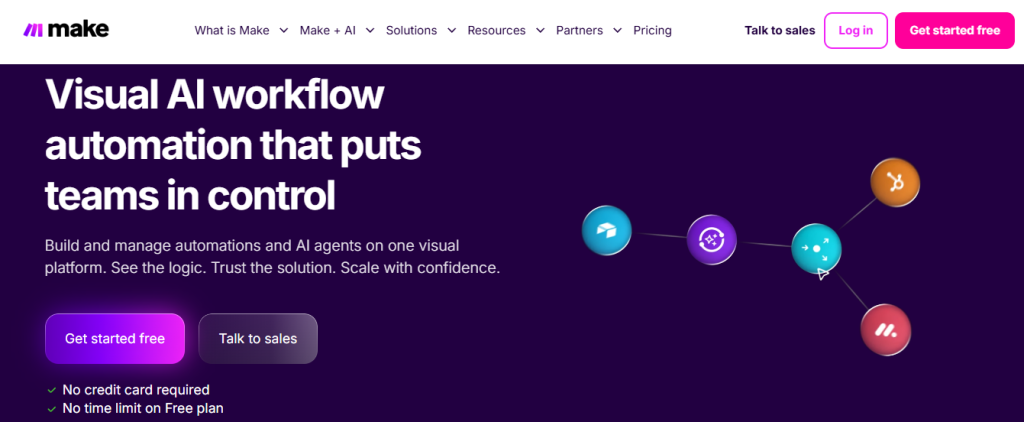
Developer environment: Make’s development surface is its infinite canvas — a visual programming environment where modules, data stores, and custom functions compose into arbitrarily complex application logic. Developers can define custom API integrations using Make’s HTTP module or the structured module-builder JSON schema. Make’s formula language handles string parsing, arithmetic, and conditional expressions. For scripting beyond formulas, the HTTP module accepts custom request bodies and headers for any REST API call.
Data integration layer: Make’s infinite canvas architecture handles multi-step data routing more cleanly than Zapier’s linear model. Data can be filtered, aggregated, and conditionally routed within a single scenario, making it practical for lightweight ETL-style transformations before data lands in a destination. It is not a data warehouse integration tool by design, but for teams syncing structured data between cloud apps — CRMs, databases, spreadsheets, BI tools — Make’s built-in data mapping and formula tools cover most scenarios without requiring a separate pipeline layer.
In 2026, Make’s standout feature is its AI-driven “Scenario Assistant,” which suggests optimal logic paths based on your goals. Combined with robust data transformation tools, Make remains one of the top Low Code Integration Platforms for teams that need to see the full workflow at a glance.
3. n8n (The Fair-Code Powerhouse)
n8n stands out as the open-source alternative for teams demanding full control — and the market has validated that positioning decisively. The platform reached a $2.3 billion valuation in August 2025, up from $350 million four months earlier, with $40M+ in annual revenue and 3,000+ enterprise customers. You can self-host n8n, ensuring sensitive data never leaves your servers. Its fair-code license strikes a balance between community contributions and enterprise features, making it a compelling option for privacy-conscious organizations.
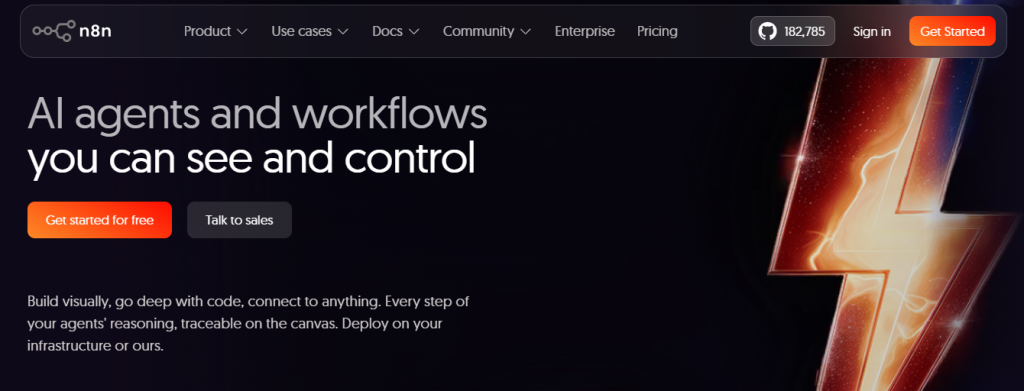
Developer environment: n8n is the most developer-centric platform in this comparison. Its Code node accepts JavaScript or Python with full npm package access — any Node.js library is importable inside a workflow step. Developers write custom data transformation functions, build AI agent pipelines with LangChain integration, and implement conditional logic and looping constructs that would otherwise require a standalone microservice. The expression syntax (based on JavaScript) runs in every field of the interface, giving developers a consistent scripting layer across the entire application.
Data integration layer: n8n’s open-source architecture makes it the most capable data pipeline tool in this comparison. It connects natively to PostgreSQL, MySQL, MongoDB, and other databases alongside SaaS connectors, and its code execution nodes let developers write custom data transformation logic in JavaScript or Python. For teams that need real-time data pipelines without the cost or complexity of enterprise ETL platforms, n8n’s self-hosted deployment means sensitive data never leaves your infrastructure — a significant advantage for GDPR and HIPAA-regulated workflows. As of early 2026, n8n surpassed 100,000 GitHub stars and a $2.3 billion valuation, reflecting how quickly the market has moved toward flexible, code-friendly integration tools.
In 2026, n8n’s standout smart feature is “LangChain Native Nodes,” designed for building AI agents that perform document summarization, code generation, and private database queries. If you seek both extensibility and data sovereignty, n8n is your go-to low code integration platform.
4. Pipedream (The Developer’s Integration Secret)
Pipedream takes a component-based approach, where each step in an automation is a reusable code snippet. This modularity lets developers craft highly customized workflows while still leveraging a low-code interface for orchestration. The platform supports JavaScript, Python, Go, and more, making it a playground for engineering teams.
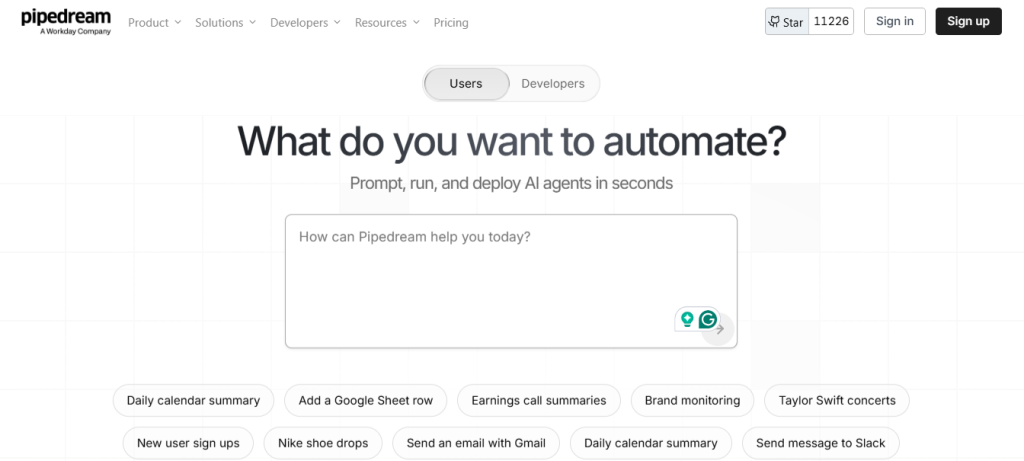
Developer environment: Pipedream’s programming model is code-first. Every step is a TypeScript or JavaScript function — versioned in Pipedream’s source control, editable in a browser-based code editor with syntax highlighting and inline execution logs, and reusable across workflows as a published component. Developers import npm packages, write async functions, chain API calls, and deploy event-driven applications that process billions of events in production monthly. This is not a fallback code option — it is the primary programming model.
Data integration layer: Pipedream’s component-based model makes it the closest thing to a developer-grade ETL tool in this review. Each workflow step is a reusable code snippet that can query a database, call an API, transform a data structure, and pass the result to the next step. Pipedream is purpose-built for teams that need to pull data from operational systems and shape it before it lands in a destination — without standing up a dedicated data engineering stack. Its Instant API feature, which turns any integration into a live API endpoint, extends this to event-driven data ingestion.
Its standout 2026 feature, “Instant API,” turns any integration into a live API endpoint with one click. This means your automations can be invoked by external systems like webhooks or microservices, effectively blurring the line between integrations and custom software. For teams managing multiple endpoints at this scale, investing in a dedicated API management platforms becomes just as important as the integration layer itself.
5. Retool (The Internal App Heavyweight)
Retool is the go-to platform for building custom internal dashboards and business applications. Rather than focusing solely on moving data, Retool excels at presenting it. You can drag and drop tables, charts, forms, and maps, then bind them to any REST API, GraphQL endpoint, or database query. This makes it one of the best internal tool builders available.
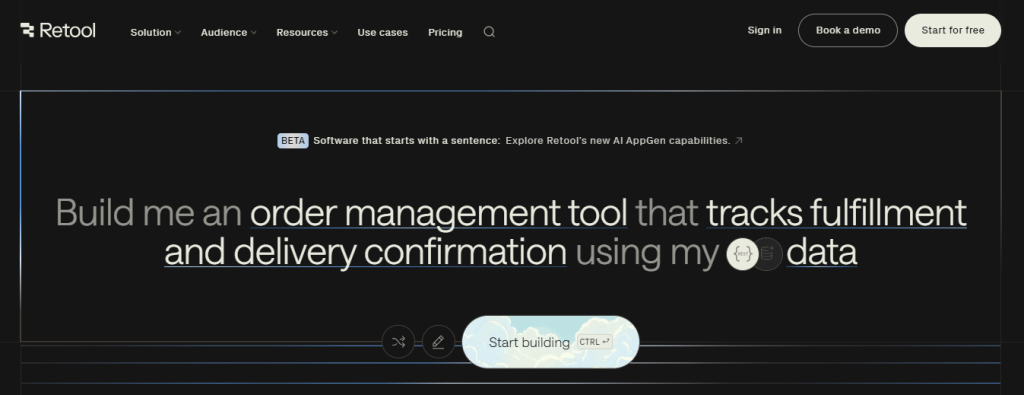
Developer environment: Retool’s application development model is query-and-component based. Every data source is accessed through a named query — SQL for databases, JavaScript for REST APIs, GraphQL for graph endpoints — and queries are callable functions that any UI component can trigger. React-based custom components extend the widget library for cases the built-in elements don’t cover. Variables and state pass data between components. JavaScript runs in event handlers, conditional logic blocks, and transformation steps throughout the application. The result is an internal-tool development environment where experienced developers can build production-grade applications without a separate frontend codebase.
Data integration layer: Retool’s differentiation is on the presentation layer, not the pipeline layer. It connects to PostgreSQL, MySQL, Snowflake, BigQuery, Amazon Redshift, REST APIs, and GraphQL endpoints — effectively acting as a front-end that queries any data source directly. This makes Retool exceptionally useful for internal dashboards that need real-time reads from a data warehouse, but it is not a data movement or ETL tool. If your use case is querying data that already lives in a cloud warehouse and presenting it to internal teams, Retool is hard to beat. If you need to move and transform data before it reaches the warehouse, pair Retool with n8n, Pipedream, or a dedicated ETL tool.
In 2026, Retool’s “Vectors” feature allows native integration with vector databases, powering internal apps that can chat with proprietary data. This elevates Retool from a dashboard builder to a conversational interface layer for your organization’s knowledge base.
Comparison Table: Choosing Your Integration Engine
Your integration engine choice should align with your organization’s priorities. If you value rapid self-service automation and a massive connector ecosystem, Zapier or Make may be your best bet. For privacy-minded teams with in-house dev expertise, n8n delivers unparalleled control. Pipedream is the secret weapon for engineering-led automation, and Retool stands out as the heavyweight for bespoke internal dashboards.
| Platform | Focus | Best Asset | ETL / Pipeline Capability | Cloud Connectors | Code / Script Support | Pricing Model | Coding Required? |
|---|---|---|---|---|---|---|---|
| Zapier | Breadth | 8,500+ App Ecosystem | Automation only — no ETL | Via app-level connectors | JavaScript or Python (Code step) | Per Task | None (Optional) |
| Make | Visual Logic | Infinite Canvas Designer | Lightweight data transformation | Via app-level connectors | Formula language + HTTP module | Per Operation | Minimal |
| n8n | Control | Self-hosting + AI Agents | Full ETL — native DB + code nodes | BigQuery, Redshift, Snowflake | JavaScript, Python, full npm access | Per Execution (Cloud) | Moderate |
| Pipedream | Flexibility | Code-first components | ETL via code steps + streaming | AWS Lambda, GCP Pub/Sub native | TypeScript, JavaScript, npm packages | Usage-based | High (JS/Python) |
| Retool | UI/UX | Internal Tool Builder | Query layer only — no data movement | Redshift, BigQuery, Azure Synapse | JavaScript, SQL, React components | Per User/Seat | Moderate |
Mapping these criteria against your technical skills, budget constraints, and governance requirements will help you select the right platform to sync your entire SaaS stack.
Connecting to the Cloud: AWS, Azure, and GCP Integration
The five platforms above live at the application layer. But in 2026, the place where business data actually matters is the cloud data layer — the warehouses, lakes, and analytical services running on AWS, Azure, and Google Cloud.
Cloud-based ETL and data integration solutions now account for approximately 65% of all enterprise data deployments, growing at over 15% annually, per Mordor Intelligence. The shift is driven by the same forces that drove SaaS adoption: elastic scalability, pay-per-use pricing, and managed infrastructure. The three major cloud providers have also built their own native integration tools — AWS Glue and AWS AppFlow for ETL and application-level sync, Azure Data Factory and Azure Event Hubs for batch and streaming pipelines, and Google Cloud Dataflow and BigQuery for analytics-driven ELT. These are purpose-built for the cloud provider’s own ecosystem.
Where do the five platforms in this review sit relative to these cloud-native tools?
Zapier and Make work above the cloud infrastructure layer. They don’t directly connect to data warehouses as ETL sources or destinations, but they integrate with services (Google Sheets, Airtable, Notion) that act as lightweight staging layers before data enters the cloud warehouse.
n8n connects directly to cloud data warehouses via database nodes (BigQuery, Amazon Redshift, Snowflake are supported through community and built-in connectors). For teams self-hosting n8n on AWS, Azure, or GCP, the integration runs within the same cloud environment — eliminating data transfer costs and latency.
Pipedream is the most cloud-integration-ready of the five, with first-party support for AWS Lambda, AWS SQS, Google Cloud Pub/Sub, and Cloudflare Workers. Workflow steps can trigger cloud functions, pass data to streaming queues, and write directly to cloud storage buckets.
Retool sits at the query layer. Its database connections include Amazon Redshift, Google BigQuery, and Azure Synapse Analytics, making it the tool to use when you want a visual dashboard on top of cloud warehouse data without building a separate BI layer.
The practical decision: if your data ultimately needs to land in Snowflake, BigQuery, or Amazon Redshift for analytics or AI use, plan your integration stack backwards from those destinations. The platform you use for SaaS automation (Zapier, Make) is almost certainly not the same platform you’ll use for cloud warehouse data movement. For the latter, n8n or Pipedream is the right layer — or a dedicated cloud ETL tool like Matillion or Integrate.io for high-volume data engineering work.
The “Smart Admin” Integration Checklist
Before you connect your first two apps, follow these rules to avoid the dreaded “Zombie Automation”, a flow that runs endlessly, costs money, and accomplishes nothing.
First, always build an error-loop shield: add filters or conditionals to prevent triggers from firing on their own outputs. Second, audit your task burn weekly. Since most platforms charge by usage, monitor which zap or scenario is consuming the most tasks and optimize accordingly. Third, governance first: if you deploy AI agents, embed human-in-the-loop checkpoints for critical actions like sending invoices or deleting records.
Finally, standardize your data formats, use formatter steps to unify date codes, currency symbols, and name conventions across all tools. By applying these best practices, you’ll ensure your automations remain efficient, cost-effective, and under control.
The Business Productivity Case: What These Platforms Replace
Most evaluations of integration platforms focus on what they connect and what they cost. The more useful frame for business decision-makers is what they replace — and the operational cost of not having them.
Zapier replaces: Manual data entry between tools, copy-paste processes, and the “have you updated the CRM?” workflow tax on every sales and support team. Vendasta quantified this: automating their lead qualification flow across Typeform, Clearbit, HubSpot, and Slack saved 282 workdays per year and recovered over $1 million in pipeline revenue. The business productivity gain is measurable in employee time redirected to higher-value work.
Make replaces: Custom middleware built by developers, expensive iPaaS subscriptions positioned at the enterprise tier, and multi-tool spreadsheet workarounds that break every time someone leaves the company. Make’s multi-branch scenario builder handles the logic that operations teams used to manage manually across three or four separate productivity tools.
n8n replaces: Integration engineering headcount and recurring enterprise software licensing. For businesses that have been paying $50,000–$200,000 a year for enterprise iPaaS tools, n8n’s self-hosted model changes the unit economics of operational software entirely. The business productivity argument is not only about efficiency — it is about redirecting six-figure software spend toward growth.
Pipedream replaces: Backend microservices that exist solely to move data between applications. For every engineering team maintaining a custom webhook handler or data transformation service, Pipedream represents a complete platform replacement — the same functionality, a fraction of the maintenance overhead, and no DevOps requirement.
Retool replaces: Custom internal dashboard development, business intelligence tools purchased for operational reporting, and the perpetual backlog of “can engineering build us a view of…” requests. When operations, finance, and customer success teams can build their own business applications against live data sources, the productivity gains compound across every department that was previously dependent on engineering time.
Organizations using these platforms report an average of $187,000 in annual savings from reduced IT and operational software costs (Integrate.io, January 2026). The 24.2% annual growth rate of the iPaaS market reflects what happens when business teams discover that productivity software can be configured rather than purchased and customised at enterprise rates.
Conclusion: From “Silos” to a “Symphony”
Your SaaS ecosystem shouldn’t resemble isolated islands of data. By adopting the right Low Code Integration Platforms, you can orchestrate your tools into a seamless rhythm. Start with Zapier for quick wins and broad coverage, then graduate your core business logic to Make or n8n as complexity grows.
Ultimately, these platforms transform you from a manual data mover into an architect of automation. Embrace this shift, and watch your operations evolve from disconnected silos into a cohesive, efficient symphony.
Frequently Asked Questions (FAQs)
If you just need to manage data, Retool or Softr are excellent. If you want to automate the work between those tools, Zapier is the easiest starting point.
In 2026, platforms like n8n and Retool offer SOC2 compliance and self-hosting options. This means your customer data stays behind your firewall, making it as safe as traditional custom-coded software.
Yes, but you will hit a “logic ceiling.” The goal of being a “Smart Admin” isn’t to avoid code entirely, but to use AI to write the code you need within these platforms.
They solve different problems. Workflow automation (Zapier, Make) moves data between apps in response to triggers — a new form submission, a status change, a scheduled task. The data moves but isn’t stored or transformed in a persistent way. ETL (Extract, Transform, Load) is the process of pulling data from operational systems, reshaping it into an analytical format, and loading it into a data warehouse or lake. You need ETL when your goal is reporting, analytics, or AI — not just keeping tools in sync. Most SaaS teams need both: automation to keep apps in sync day-to-day, and a separate data pipeline to feed their analytics layer. Of the five platforms reviewed here, n8n and Pipedream can serve both functions for teams comfortable with a moderate technical setup.
n8n connects to BigQuery, Amazon Redshift, and Snowflake via database nodes; it can also self-host within your cloud environment on AWS EC2, Azure VMs, or GCP Compute Engine, which eliminates cross-environment data transfer. Pipedream has first-party support for AWS Lambda, AWS SQS, and Google Cloud Pub/Sub, making it the most cloud-infrastructure-native option for event-driven data flows. Retool connects to Amazon Redshift, Google BigQuery, and Azure Synapse Analytics as query destinations for dashboards, but does not move or transform data. Zapier and Make connect to cloud services through app-level integrations rather than direct database or infrastructure connections.
In 2026, the distinction is mostly historical. The five platforms reviewed here began as integration tools — connecting apps and automating workflows — but have become full development environments where teams build, version, and deploy production software. A low-code development platform provides a code editor, error handling, conditional logic, custom scripting, and a deployment layer. All five platforms reviewed here qualify. The difference between them is how central custom code is to the experience: in Zapier and Make, code is an optional escape hatch; in Pipedream and n8n, code is the primary programming model; in Retool, code is the query and application logic layer.